PassFabricator is a lightweight, client-side password utility built with HTML, CSS, and JavaScript. This tool allows users to generate secure random passwords or memorable passphrases based on customizable criteria, and analyze the strength of existing passwords. All functionality runs locally in your browser with no backend required.
- Random Passwords: Choose the length and character types (lowercase, uppercase, numbers, and symbols).
- Memorable Passphrases: Generate word-based passphrases from the included EFF wordlist with configurable word count, delimiter, case, and optional number substitution.
- Password Strength Meter: Visual feedback on the strength of the generated password based on length and character variety.
- Entropy Calculation: Displays the entropy (in bits) of the generated password, providing insight into the randomness and security of the password.
- Clipboard Functionality: Easily copy the generated password to your clipboard for secure use.
- Password Strength Analysis: Evaluate the strength of any password with detailed metrics.
- Entropy Evaluation: Understand the security level of existing passwords.
- Visual Feedback: Clear visual indicators of password strength.
- Responsive Design: Fully functional on both desktop and mobile devices.
- Modular Architecture: Clean separation of concerns with ES6 modules for maintainability and testing.
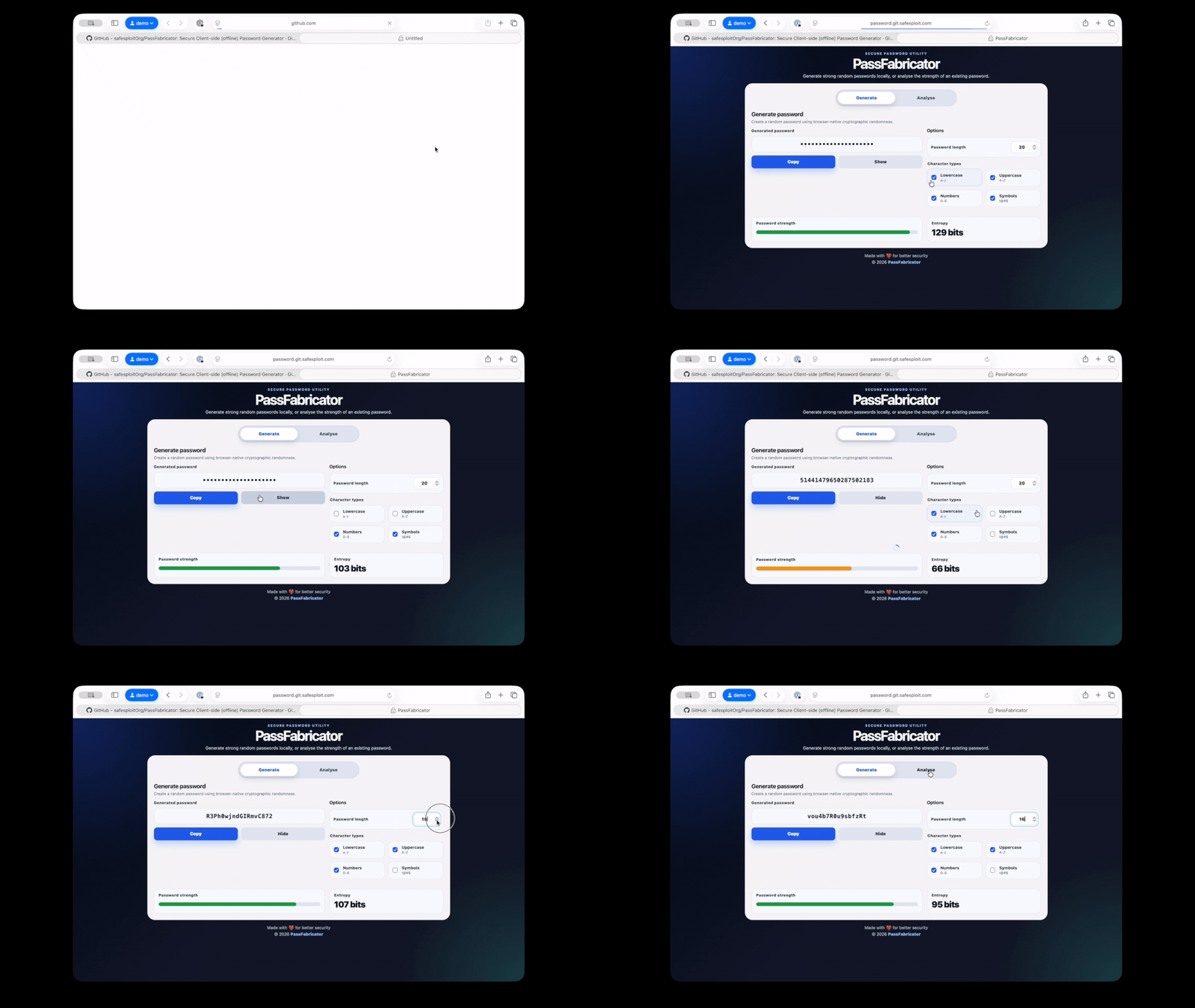
PassFabricator helps users create secure passwords quickly and easily, ensuring strong, unpredictable passwords that enhance online security. Whether for personal use or integrating into security practices, this tool ensures that your passwords are up to modern standards of cryptographic randomness.
PassFabricator uses ES6 modules, which require a local development server to run. Simply opening index.html in a browser will not work.
-
Clone the repository:
git clone https://github.com/yourusername/PassFabricator.git cd PassFabricator -
Install dependencies (optional, only needed for testing):
npm install
-
Start a local development server:
Option A: Using Node.js
npx http-server public
Then open
http://localhost:8080in your browser.Option B: Using Python 3
cd public
python3 -m http.server 8000
Then open
http://localhost:8000in your browser.
The application will run entirely in your browser with no backend services required.
PassFabricator is built with modular ES6 modules for clean separation of concerns:
generate_password.js: Core password generation logic, entropy calculation, and validationanalyse_password.js: Password strength analysis and metricsstorage.js: User preferences and local storage managementui.js: User interface interactions and DOM manipulation
Tests are written with Vitest:
# Run tests once
npm test

# Run tests in watch mode
npm run test:watch

# Generate coverage report
npm run coverage
Tests are located in the tests/ directory and cover core modules:
analyse_password.test.jsgenerate_password.test.jsstorage.test.js
Feel free to fork this repository and contribute! We welcome issues, bug reports, and pull requests.
Distributed under the MIT License. See LICENSE for more information.