


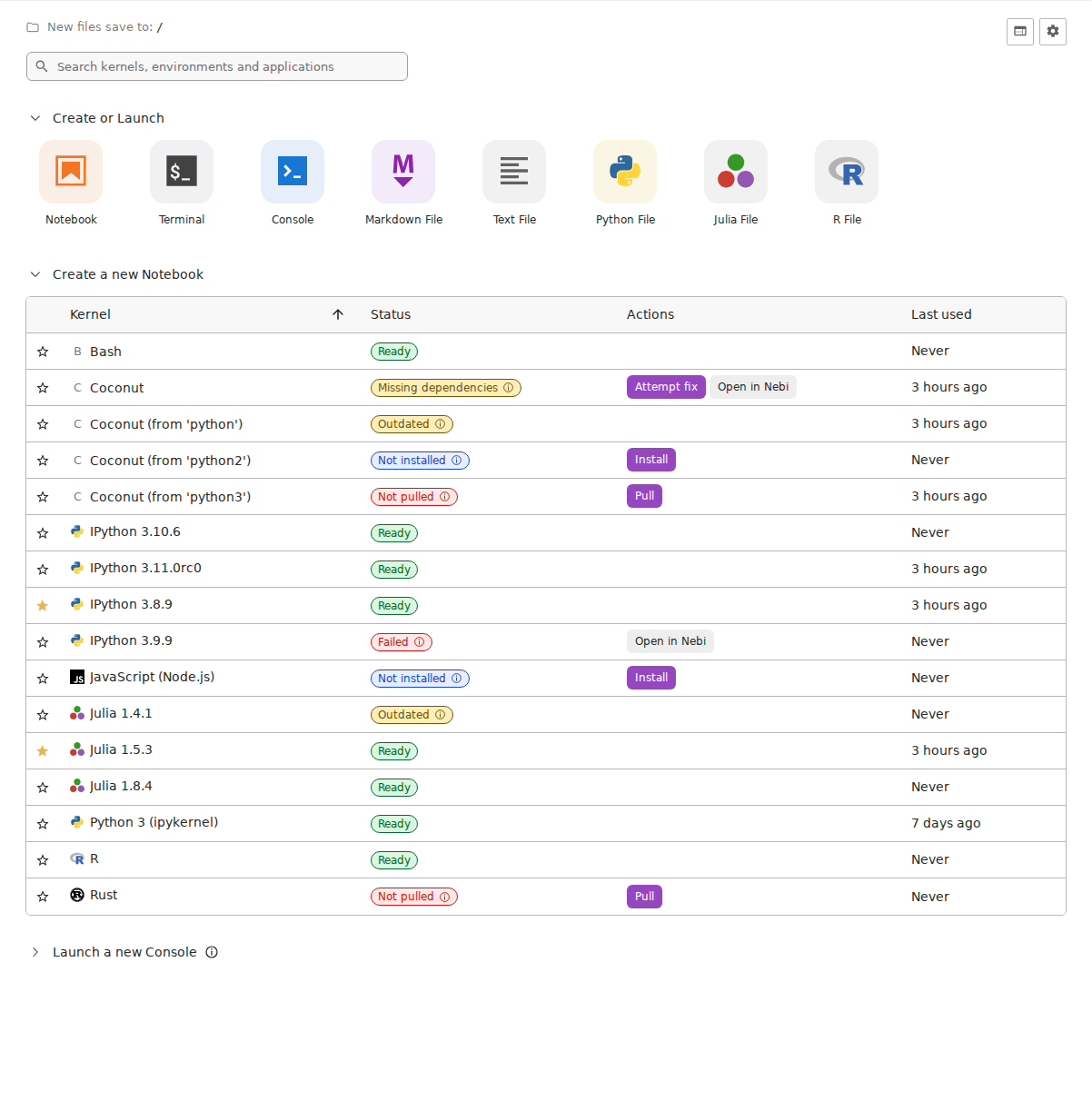
A redesigned JupyterLab launcher.

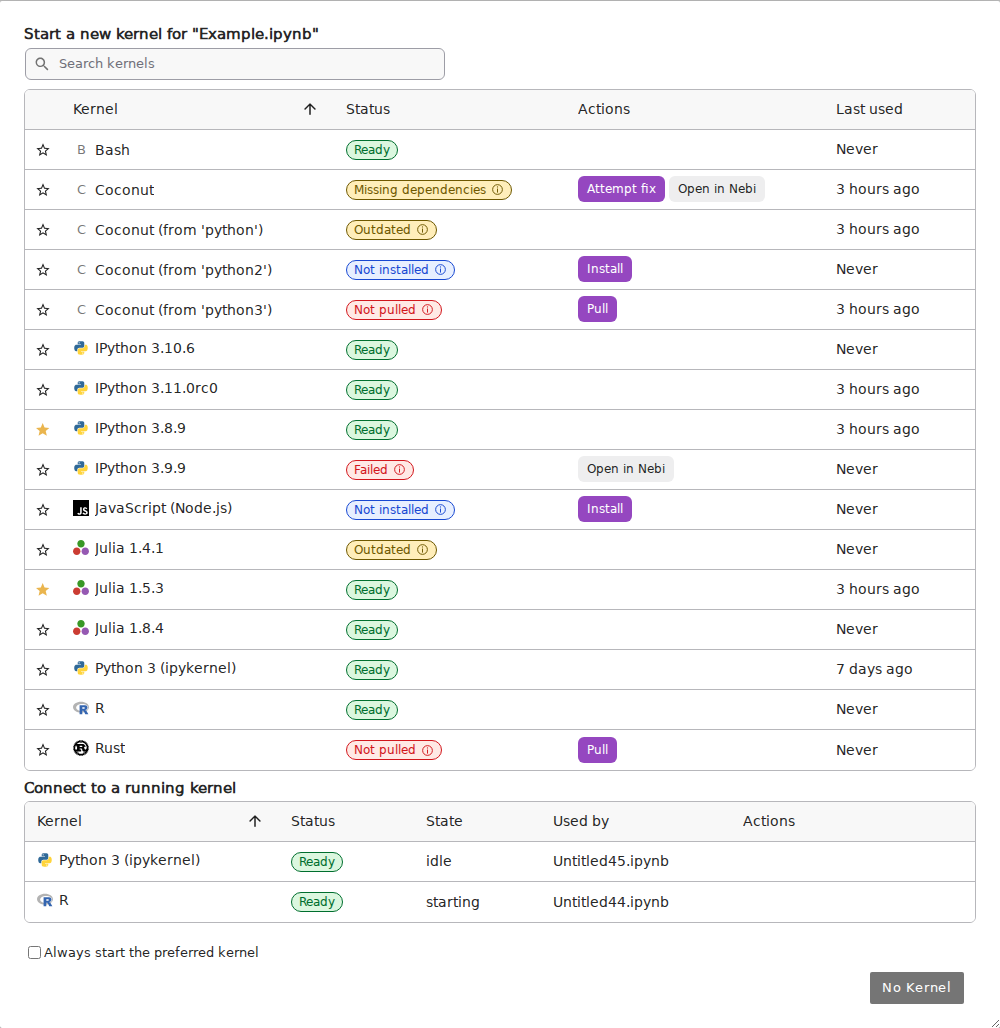
Kernel selection dialog:

With nb-nebi-kernels installed:
- JupyterLab >= 4.0.0
To install the extension, execute:
pip install jupyterlab-launchpadAfter installation you should restart JupyterLab (or jupyter server if using a remote server in JupyterLab Desktop).
For Nebi integration (Python >= 3.11), install the optional dependencies:
pip install "jupyterlab-launchpad[nebi]"Install the Nebi CLI and
Pixi separately and keep both on the
Jupyter server's PATH. See nb-nebi-kernels
for workspace setup. The Open in Nebi action also requires a configured
nebi entry in Jupyter Server Proxy.
Install also requires the nebi proxy entry and Nebi running in local mode.
See Binder's postBuild script for an example configuration,
including the proxy entry and NEBI_DATABASE_DSN.
Launchpad matches the local workspace path in Nebi, starts its workspace install job, polls until it finishes, and refreshes kernel discovery on success. Nebi manages the installation state; failures show the job's error. Closing or reloading the page stops progress tracking but does not cancel the accepted job. Reopening the page does not resume progress tracking automatically. Check the job in Nebi before retrying after reopening the page or a connection failure.
Binder provides two real workspaces: launchpad-demo starts with Install,
and launchpad-repair-demo starts with Attempt fix on an installed Python
environment without a Jupyter kernel. After either action succeeds, discovery
shows the workspace as ready and removes its action button. The other sample
rows are display examples and do not point to these workspaces.
Nebi actions support the workspace's default environment. When a workspace has
no Jupyter kernel, Attempt fix installs the packages configured on the server
with NebiConfig.kernel_dependencies (default: ["ipykernel"]). To use a different
kernel package, set this list in jupyter_server_config.py:
c.NebiConfig.kernel_dependencies = ["your-kernel-package"]Users can override these packages in Settings → Settings Editor → Launchpad →
Nebi kernel packages, for example with ["r-irkernel"]. The user setting
nebiKernelDependencies defaults to an empty list, which uses the server default.
The override applies only when a workspace has no Jupyter kernel; other missing
dependencies reported by discovery are still installed alongside these packages.
An empty server list disables automatic kernel installation unless a user supplies an override. Missing dependencies reported by discovery continue to be installed.
Attempt fix requires a workspace registered with the local Nebi service,
the default Pixi environment, and a configured nebi entry in Jupyter Server
Proxy. Nebi and Jupyter Server must access the same workspace files.
Launchpad submits the missing packages to Nebi's package API and polls the resulting job. Nebi handles dependency resolution, version creation, and updating an already installed environment. Launchpad verifies that the newest version belongs to this job, then refreshes kernel discovery. Job failures are displayed in the notification; an environment that remains unusable is not reported as successfully repaired.
Once Nebi accepts the job, closing the browser does not cancel it. Closing or reloading the page stops Launchpad's progress tracking. If the connection fails, check the job and workspace in Nebi before retrying.
To remove the extension, execute:
pip uninstall jupyterlab-launchpadNote: You will need NodeJS to build the extension package.
The jlpm command is JupyterLab's pinned version of
yarn that is installed with JupyterLab. You may use
yarn or npm in lieu of jlpm below.
# Clone the repo to your local environment
# Change directory to the jupyterlab_launchpad directory
# Install package in development mode
pip install -e "."
# Link your development version of the extension with JupyterLab
jupyter labextension develop . --overwrite
# Rebuild extension Typescript source after making changes
jlpm build
You can watch the source directory and run JupyterLab at the same time in different terminals to watch for changes in the extension's source and automatically rebuild the extension.
# Watch the source directory in one terminal, automatically rebuilding when needed
jlpm watch
# Run JupyterLab in another terminal
jupyter lab
With the watch command running, every saved change will immediately be built locally and available in your running JupyterLab. Refresh JupyterLab to load the change in your browser (you may need to wait several seconds for the extension to be rebuilt).
By default, the jlpm build command generates the source maps for this extension to make it easier to debug using the browser dev tools. To also generate source maps for the JupyterLab core extensions, you can run the following command:
jupyter lab build --minimize=Falsepip uninstall jupyterlab_launchpadIn development mode, you will also need to remove the symlink created by jupyter labextension develop
command. To find its location, you can run jupyter labextension list to figure out where the labextensions
folder is located. Then you can remove the symlink named jupyterlab-launchpad within that folder.
This extension is using Jest for JavaScript code testing.
To execute them, execute:
jlpm
jlpm testThis extension uses Playwright for the integration tests (aka user level tests). More precisely, the JupyterLab helper Galata is used to handle testing the extension in JupyterLab.
More information are provided within the ui-tests README.
See RELEASE