


A small Bevy UI material plugin for repeating image patterns as full-screen or panel backgrounds. It keeps tiles in logical UI pixels, so high-DPI displays keep the same visual density as desktop.
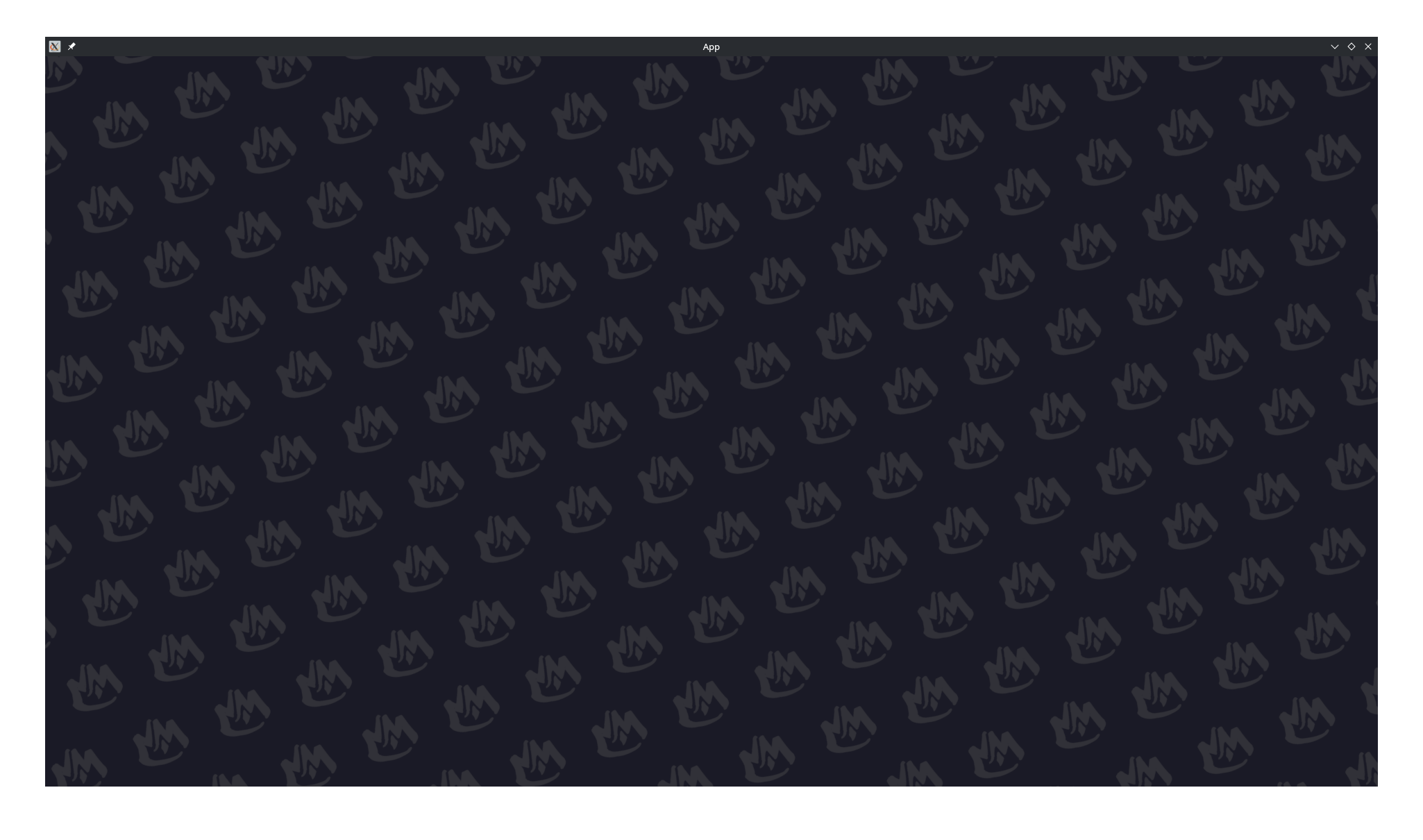
bevy_tiled_background renders a texture repeatedly inside a Bevy Node using a custom UiMaterial.
Use it for animated menu backgrounds, decorative panels, loading screens, card backdrops, or any UI area that needs a tiled image pattern.
- Logical-pixel tiling that looks consistent across desktop, mobile, and high-DPI screens
- Native texture aspect ratio preservation without stretching
- Tint and opacity control through
color - An explicit two-axis lattice for cell size, rotation, and skew
- Image scale and rotation independent of the lattice
- Alternating checkerboard layers for patterns made from multiple images
- Optional design-reference cover scaling and cropping
- Gaps set by making lattice cells larger than their images
- Smooth scrolling animation in any direction
cargo add bevy_tiled_backgroundOr add it manually:
[dependencies]
bevy_tiled_background = "0.6"Add TiledBackgroundPlugin, create a TiledBackgroundMaterial, then attach it to any UI Node with MaterialNode.
use bevy::prelude::*;
use bevy_tiled_background::{TiledBackgroundMaterial, TiledBackgroundPlugin};

fn main() {
    App::new()
        .add_plugins((DefaultPlugins, TiledBackgroundPlugin))
        .add_systems(Startup, setup)
        .run();
}

fn setup(
    mut commands: Commands,
    asset_server: Res<AssetServer>,
    mut materials: ResMut<Assets<TiledBackgroundMaterial>>,
) {
    commands.spawn(Camera2d);

    let rotation = -20f32.to_radians();
    let cell_size = Vec2::new(165.0, 147.0);
    let lattice = Mat2::from_angle(rotation)
        * Mat2::from_cols(
            Vec2::new(cell_size.x, 0.0),
            Vec2::new(-cell_size.x * 0.5, cell_size.y),
        );
    let material = materials.add(TiledBackgroundMaterial {
        color: Color::WHITE.with_alpha(0.15).into(),
        image_scale: 0.5,
        image_rotation: rotation,
        lattice_x_axis: lattice.x_axis,
        lattice_y_axis: lattice.y_axis,
        scroll_velocity: Vec2::new(30.0, 0.0),
        pattern_texture: asset_server.load("background_logo.png"),
        ..default()
    });

    commands.spawn((
        Node {
            width: Val::Percent(100.0),
            height: Val::Percent(100.0),
            ..default()
        },
        BackgroundColor(Color::srgb(0.1, 0.1, 0.15)),
        MaterialNode(material),
    ));
}
Run the included example with:
cargo run --example simple| Property | Type | Description |
|---|---|---|
color |
LinearRgba |
Tint multiplied with the texture. Use white for no tint; alpha controls opacity. |
image_scale |
f32 |
Positive image size multiplier. 1.0 uses the texture's native size. |
image_rotation |
f32 |
Clockwise image rotation in radians, independent of the lattice. |
lattice_x_axis |
Vec2 |
Vector from a cell center to its neighbor at (1, 0). |
lattice_y_axis |
Vec2 |
Vector from a cell center to its neighbor at (0, 1). Setting both axes to zero uses the scaled texture's native size. |
origin |
Vec2 |
Center of cell (0, 0), relative to the node center or reference top-left corner. |
reference_size |
Vec2 |
Positive design dimensions used to cover and crop the node. Vec2::ZERO disables this mode. |
scroll_velocity |
Vec2 |
Visual pattern velocity in logical screen pixels per second. |
checkerboard_parity |
i32 |
-1 draws every cell; 0 or 1 draws one checkerboard parity. |
pattern_texture |
Handle<Image> |
Texture image to repeat. |
pixel_scale |
f32 |
Plugin-managed window scale conversion. Leave this at the default value. |
The lattice axes must form an invertible basis unless both are zero. Rotate both axes and image_rotation to rotate the whole pattern. Change only image_rotation to turn each image inside fixed cells.
With a positive reference_size, lattice and origin values use reference pixels measured from its top-left corner. The shader cover-scales that reference rectangle over the node. scroll_velocity remains in logical screen pixels per second.
The plugin automatically draws individual image quads for sparse, untransformed fullscreen patterns. It uses stock Bevy's public rendering APIs and draws the calculated tile count. No engine patch or opt-in feature is required.
The original MaterialNode<TiledBackgroundMaterial> remains attached. Updating
or replacing its material still changes the background; removing it stops
drawing. Tint, scrolling, checkerboard selection, cover scaling, and the host's
color-space handling are preserved.
Dense patterns, automatic lattices, cropped or transformed nodes, and grids over 512 cells retain the original shader. The reference draw also remains active while the optimized GPU material or pipeline is loading. These cases retain their features but do not receive the sparse-geometry speedup.
For a reference comparison, add
bevy_tiled_background::instancing::TiledBackgroundMode::Reference to a node.
Removing that component restores automatic selection. Selection runs in
UpdateTiledBackgroundGeometry, after UI layout and before asset extraction.
The optional mightyminions feature adapts the project's extended clipping API.
It is only for that engine fork; stock Bevy uses the default feature set.
| Bevy | bevy_tiled_background |
|---|---|
| 0.19 | 0.5-0.6 |
| 0.17 | 0.4 |
Licensed under either of:
- Apache License, Version 2.0 (LICENSE-APACHE or http://www.apache.org/licenses/LICENSE-2.0)
- MIT license (LICENSE-MIT or http://opensource.org/licenses/MIT)
at your option.