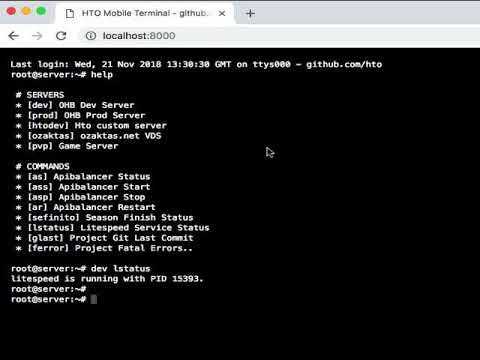
Connect to servers you've tagged with customized commands and complete your actions with shortcuts
Auth ... :)
commands_env.toml >> commands.toml // command list
servers_env.toml >> servers.toml // ssh server list
go build
./custom-browser-ssh-terminal
Run
http://localhost:8000/
[[Command]]
shortcmd = "lstatus"
description = "Litespeed Service Status"
realcmd = "service lsws status"

[[Command]]
shortcmd = "glast"
description = "Project Git Last Commit"
realcmd = "cd /usr/local/lsws/DEFAULT/html && git rev-parse --verify HEAD"

[[Command]]
shortcmd = "ferror"
description = "Project Fatal Errors.."
realcmd = "cat /usr/local/lsws/logs/error.log |grep Fatal"
[[Server]]
Name = "dev"
Description = "Browser Dev Server"
HostName = "browser.dev"
UserName = "root"
Port = "22"
Password = "123456"

[[Server]]
Name = "hto"
Description = "Hto Git Server"
HostName = "git.hto.com"
UserName = "root"
Port = "22"
Password = "123456"