


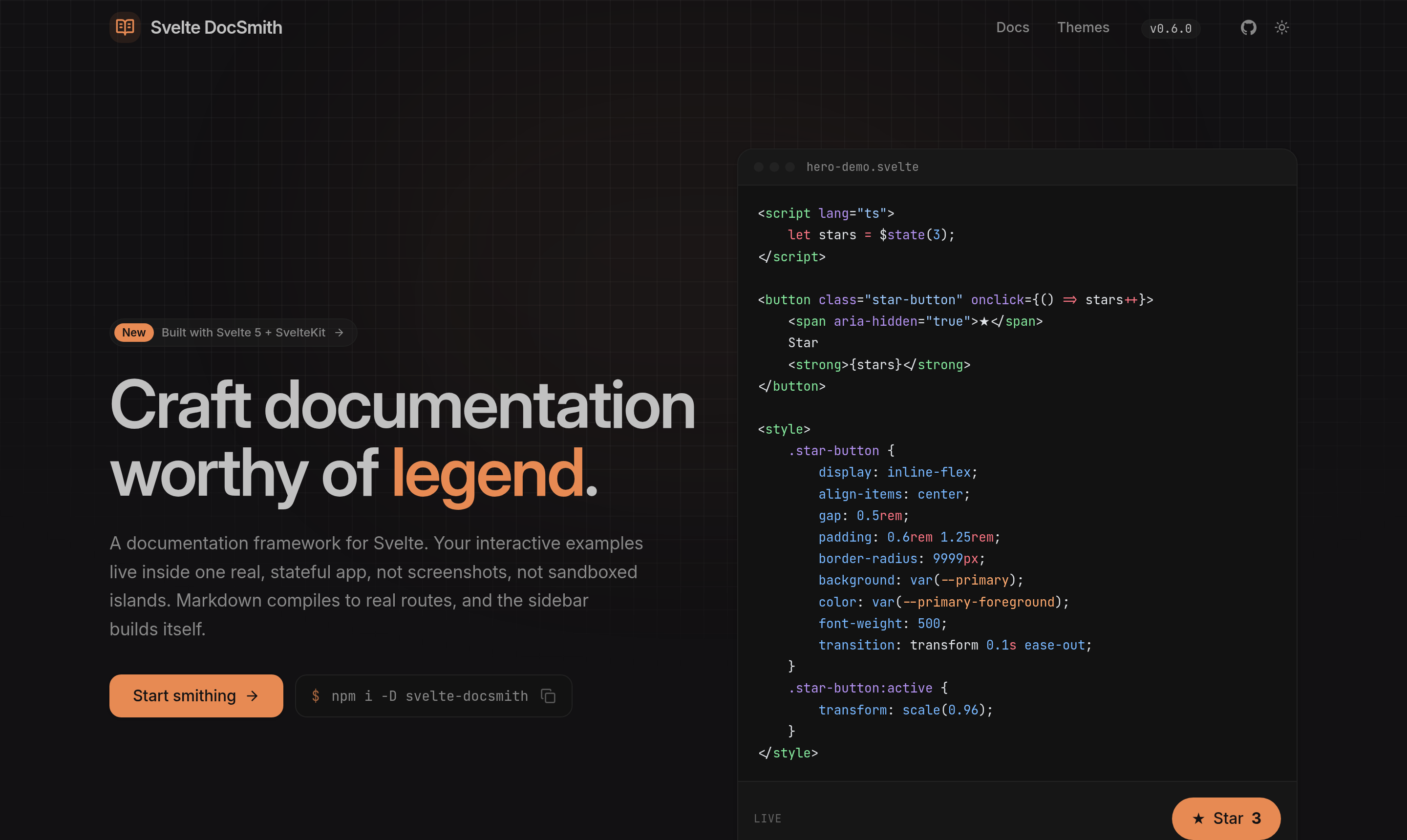
The documentation framework for Svelte 5 library authors whose interactive examples need to live inside one real, stateful SvelteKit app, not sandboxed as isolated islands.
Write a markdown file under src/routes/docs/ and you get a styled page with
syntax highlighting, heading anchors, a sidebar derived from your content, and a
live table of contents. No per-page wiring, no content collection to configure.
Status: pre-1.0. Published to npm and usable today. Minor releases may still include breaking changes until v1.0.
What 1.0 will lock. Authoring components,
DocsShell,ErrorPage,defineConfig, the preprocessor, the Vite plugin, the sitemap / llms / feed generators, the search engine, and the theming contract — ordinary semver, breaking changes ride a major.What stays experimental. Versioning:
DocsVersions,currentOnly, the archive marker, and thearchive-versioncommand. They may still change in a minor until authors have used them for real.
The fastest way to start a new docs site is the scaffolder, which wires up everything below for you:
npm create svelte-docsmith@latest my-docsTo add DocSmith to an existing SvelteKit app, install the package instead:
npm install svelte-docsmithPeer dependencies: Svelte 5, SvelteKit 2, and Tailwind v4, set up the standard way in your app.
Three small pieces, once.
1. The markdown pipeline. In svelte.config.js, one call bundles mdsvex,
Shiki highlighting (dual light/dark themes, a generous language set, plain-text
fallback for unknown languages), heading anchors, and the packaged page layout:
// svelte.config.js
import adapter from '@sveltejs/adapter-auto';
import { vitePreprocess } from '@sveltejs/vite-plugin-svelte';
import { docsmith } from 'svelte-docsmith/preprocess';

export default {
	extensions: ['.svelte', '.md'],
	preprocess: [vitePreprocess(), docsmith()],
	kit: { adapter: adapter() }
};
2. The Vite plugin. In vite.config.ts, it scans your doc pages' frontmatter
into the svelte-docsmith/content module (so the sidebar is derived from
content, never hand-written), builds the search index, and powers LiveExample:
// vite.config.ts
import { sveltekit } from '@sveltejs/kit/vite';
import tailwindcss from '@tailwindcss/vite';
import { docsmith } from 'svelte-docsmith/vite';
import { defineConfig } from 'vite';

export default defineConfig({
	plugins: [docsmith(), tailwindcss(), sveltekit()]
});
By default it scans src/routes/docs; pass docsmith({ content: 'src/routes/guide' })
to point elsewhere.
3. The stylesheet. In your root app.css, once Tailwind v4 is set up the
standard way (tailwindcss + the @tailwindcss/vite plugin, stylesheet imported
in the root layout), the whole style contract is one import:
@import 'tailwindcss';
@import 'svelte-docsmith/theme.css';
theme.css makes Tailwind scan the package, defines the shadcn theme tokens
(--background, --primary, --radius, …) for :root and .dark, and pulls
in the typography and animation plugins. Override any token by redefining it
after the import, or import a preset (see Themes).
Add DocsShell once, in src/routes/docs/+layout.svelte. It composes the
header, sidebar, content area, and table of contents. docs is the generated
content index, so there is no content collection to import and no alias to
configure:
<script lang="ts">
	import { DocsShell, defineConfig } from 'svelte-docsmith';
	import { docs } from 'svelte-docsmith/content';

	const config = defineConfig({
		title: 'My Library',
		github: 'https://github.com/you/my-library'
	});
	const { children } = $props();
</script>

<DocsShell {config} content={docs}>
	{@render children()}
</DocsShell>Each page is a +page.md under src/routes/docs/. Frontmatter drives the
sidebar and the <h1>; the body is markdown, starting at ##:
---
title: Getting Started
description: Install and configure the library.
section: Guides
order: 1
---

## Installation

```bash
npm install my-library
```
title names the page. section groups pages in the sidebar; order sorts
within a group (and orders the groups by their smallest order). Add the file
and it appears in the sidebar, styled, highlighted, with a table of contents.
LiveExample renders a real, interactive component next to its own
syntax-highlighted source: one file, imported twice, so the demo and its code
can never drift. The ?source import is served by the same docsmith() Vite
plugin you already added:
<script>
	import { LiveExample } from 'svelte-docsmith';
	import Counter from '$lib/examples/counter.svelte';
	import counterSource from '$lib/examples/counter.svelte?source';
</script>

<LiveExample source={counterSource}>
	<Counter />
</LiveExample>- Search. A ⌘K / Ctrl-K command palette over a build-time full-text index, no
service to host. Pass a
searchloader toDocsShell:search={() => import('svelte-docsmith/search').then((m) => m.docs)}. - SEO.
DocsShellwrites<title>, meta description, canonical, and Open Graph / Twitter tags for every page from its frontmatter, no per-page wiring. - Error pages.
ErrorPagegives a styled 404 that keeps the site chrome; drop it into a SvelteKit+error.svelte. - Versioned docs. Declare
versionson the Vite plugin, freeze a release withnpx svelte-docsmith archive-version <id>, and pass the generated manifest toDocsShell. Scope sitemap / llms endpoints to the current version withcurrentOnly. - Changelog. Point the plugin at your
CHANGELOG.md; import the parsed releases fromsvelte-docsmith/changelog, render them withChangelog, and wiregenerateFeedinto an Atom endpoint. - Mermaid. A mermaid code fence is rendered client-side (optional
mermaidpeer dependency, loaded only on pages that need it). - Landing sections.
Hero,FeatureGrid,Feature,CTA, andActionfor the marketing page in front of your docs. - Generators. Framework-agnostic helpers for
sitemap.xml,llms.txt/llms-full.txt, and the changelog Atom feed — drop them into+server.tsroutes over the generated indexes. - Components.
Callout,Tabs,Steps,Card,Accordion,Badge,Kbd,FileTree,PropsTable, and more, authored right inside markdown. - Heading anchors, a scroll-spy table of contents, and one-click copy on every code block, wired up for you.
Eleven presets ship in the box. Darkmatter is the default, applied by
theme.css; import any other preset after it to switch:
@import 'svelte-docsmith/theme.css';
@import 'svelte-docsmith/themes/amethyst.css';
Available: darkmatter, tangerine, amethyst, graphite, evergreen,
rose, ocean, nord, claude, bubblegum, mono. Or skip the preset and
override the tokens yourself.
| Entry point | What it is |
|---|---|
svelte-docsmith |
Components (DocsShell, Changelog, landing sections, LiveExample, Callout, …), defineConfig, createSearchEngine, generateSitemap / generateLlmsTxt / generateLlmsFullTxt / generateFeed, currentOnly, and the types |
svelte-docsmith/preprocess |
docsmith(), the mdsvex/Shiki pipeline (Node, config time) |
svelte-docsmith/vite |
docsmith(), the content / search / llms / changelog indexes and ?source transform (Node, build) |
svelte-docsmith/content |
docs and versions, the generated sidebar content index and version manifest |
svelte-docsmith/search |
docs, the generated full-text search index (lazy-load it) |
svelte-docsmith/llms |
docs, the generated LLM content index (for llms.txt / llms-full.txt routes) |
svelte-docsmith/changelog |
releases, the generated changelog index (parsed from CHANGELOG.md) |
svelte-docsmith/mermaid |
the Mermaid diagram component (lazy-loaded by the preprocessor when a mermaid fence is present) |
svelte-docsmith/theme.css |
the base style contract |
svelte-docsmith/themes/*.css |
the eleven theme presets |
The package also ships a CLI binary: npx svelte-docsmith archive-version <id>
freezes the current docs into a versioned archive.
The vendored shadcn primitives and internal helpers (the TOC engine, clipboard
utility, markdown renderer map) are not part of the public API; they can
change between releases. Get buttons, cards, and the like from shadcn-svelte
directly.
MIT. See LICENSE.