Next-Gen Framework-Agnostic In-App Mobile Debugger & Inspector Overlay for Web Applications







- 📚 Comprehensive Documentation Suite
- 📸 Showcase
- 💡 Motivation & Why Use It?
- ✨ Core Capabilities
- 🏗️ Technical Architecture
- 🚀 Framework Quickstart
- ⚙️ Full Configuration & Props Reference
- 🎨 Theme Engine & Customization
- 📂 Monorepo Structure
- 🛠️ Development Setup
- 📄 License
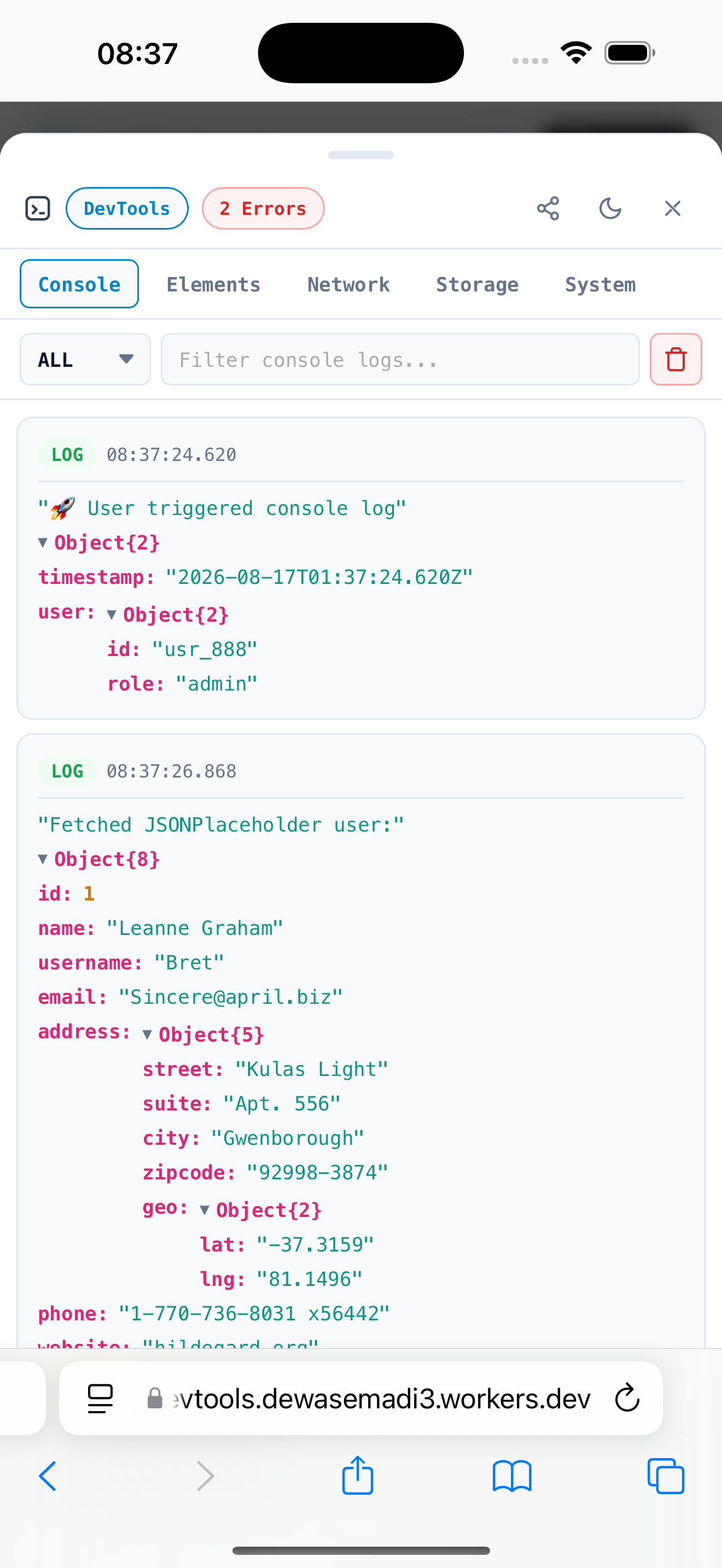
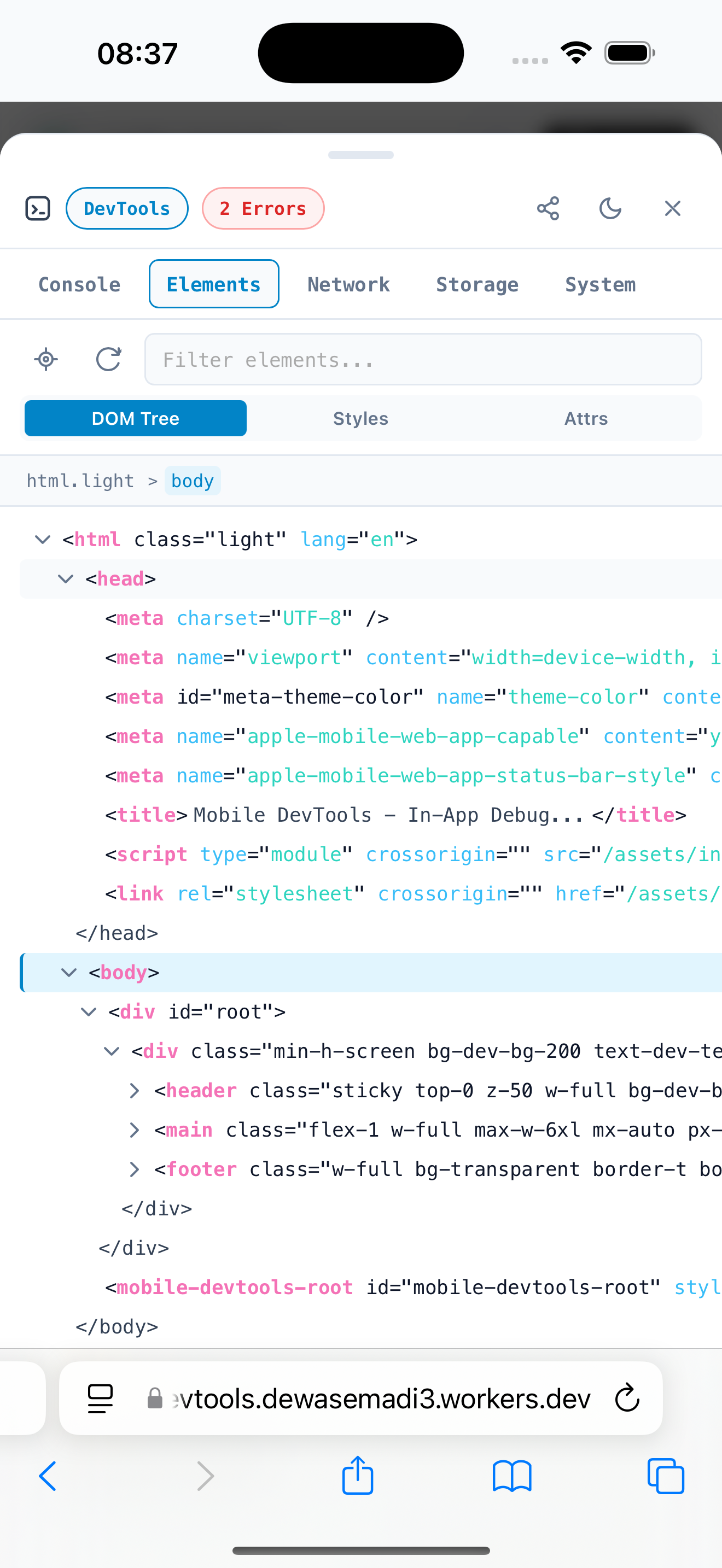
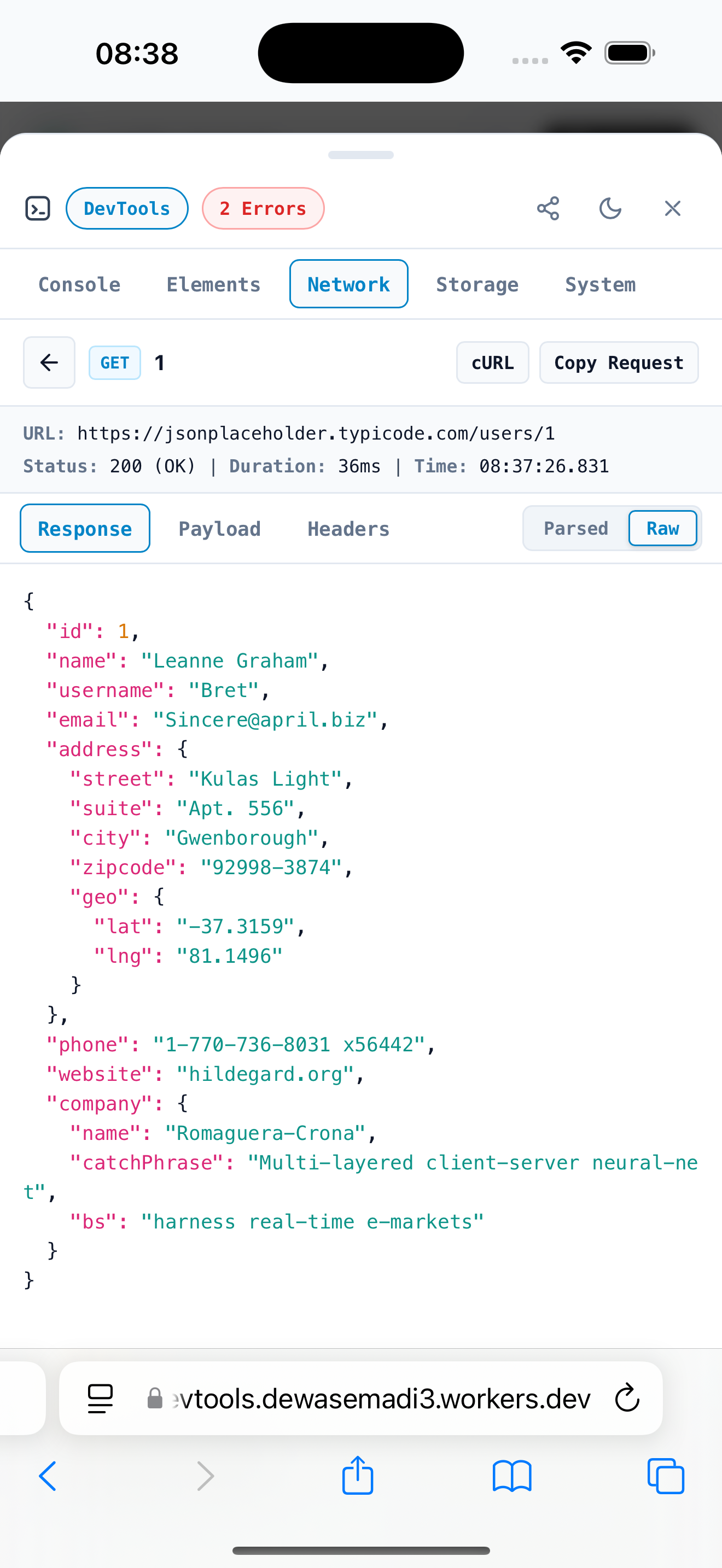
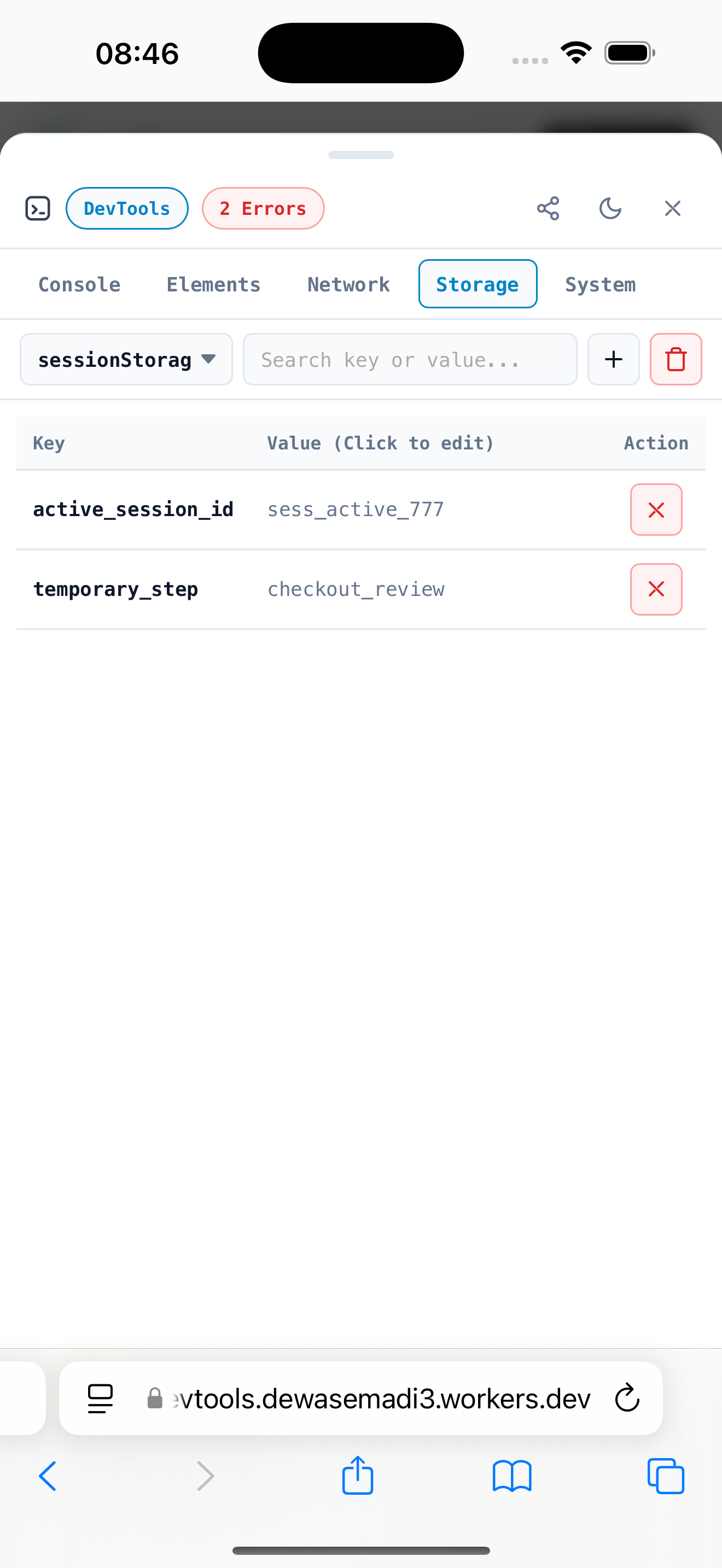
Debugging mobile web applications or QA staging builds on physical smartphones, tablets, or embedded webviews is historically painful:
- ❌ Requiring physical USB debugging cables connected to a desktop computer.
- ❌ Configuring Safari Remote Inspector or Chrome Inspect ports over local WiFi.
- ❌ Losing console logs when a mobile browser crashes or refreshes.
- ❌ Inability to inspect network traffic on production staging environments without desktop proxies (Charles / Fiddler / Proxyman).
mobile-devtools eliminates these pain points entirely. It embeds a lightweight, high-performance floating badge and overlay drawer directly inside your web application. You can inspect logs, monitor network calls, browse DOM trees, edit local storage, and inspect device specs anytime, anywhere — directly on screen without external tools or cables.
- ⚡ Ultra-Lightweight & Fast: Extremely small footprint (~2.0 kB gzipped / ~5.8 kB minified) with zero runtime dependencies, ensuring zero impact on page load speed or mobile frame rates.
- 🌳 DOM Elements Inspector (Elements Tab): Real-time HTML DOM tree browser, node expansion, interactive element picker, box model visualization (margin, border, padding, content), computed CSS styles, and grouped style categories (Layout, Flexbox, Grid, Typography, Colors).
- 🚀 Quick Bug Exporter: Instant 1-click bug report sharing via Web Share API (
navigator.share) to WhatsApp, Telegram, Slack, AirDrop, or Email with text file download and copy fallbacks. - 🌐 Network Throttling Simulator: Simulate
Slow 3G,Fast 3G, orOfflineconnection modes directly on mobile devices with synthetic latency injection. - ⚡ Cable-Free Mobile Inspection: Debug directly on physical iOS / Android devices, mobile webviews, or mobile Safari/Chrome.
- 🛡️ Shadow DOM Style Isolation: Rendered inside a Shadow DOM container (
<mobile-devtools-root>), guaranteeing zero CSS leaks into your app's global styles and zero style pollution from Tailwind, Bootstrap, or global CSS resets. - 📋 Console Tab: Real-time capture of
console.log,info,warn,error, anddebugwith live filter search, JSON tree preview, and unread error badges. - 🌐 Network Tab: Live interception of
fetchandXMLHttpRequestcalls with HTTP status indicators (200 OK,500 Error), latency timing, request/response headers, and JSON body previews. - 💾 Storage Tab: Real-time inspector and editor for
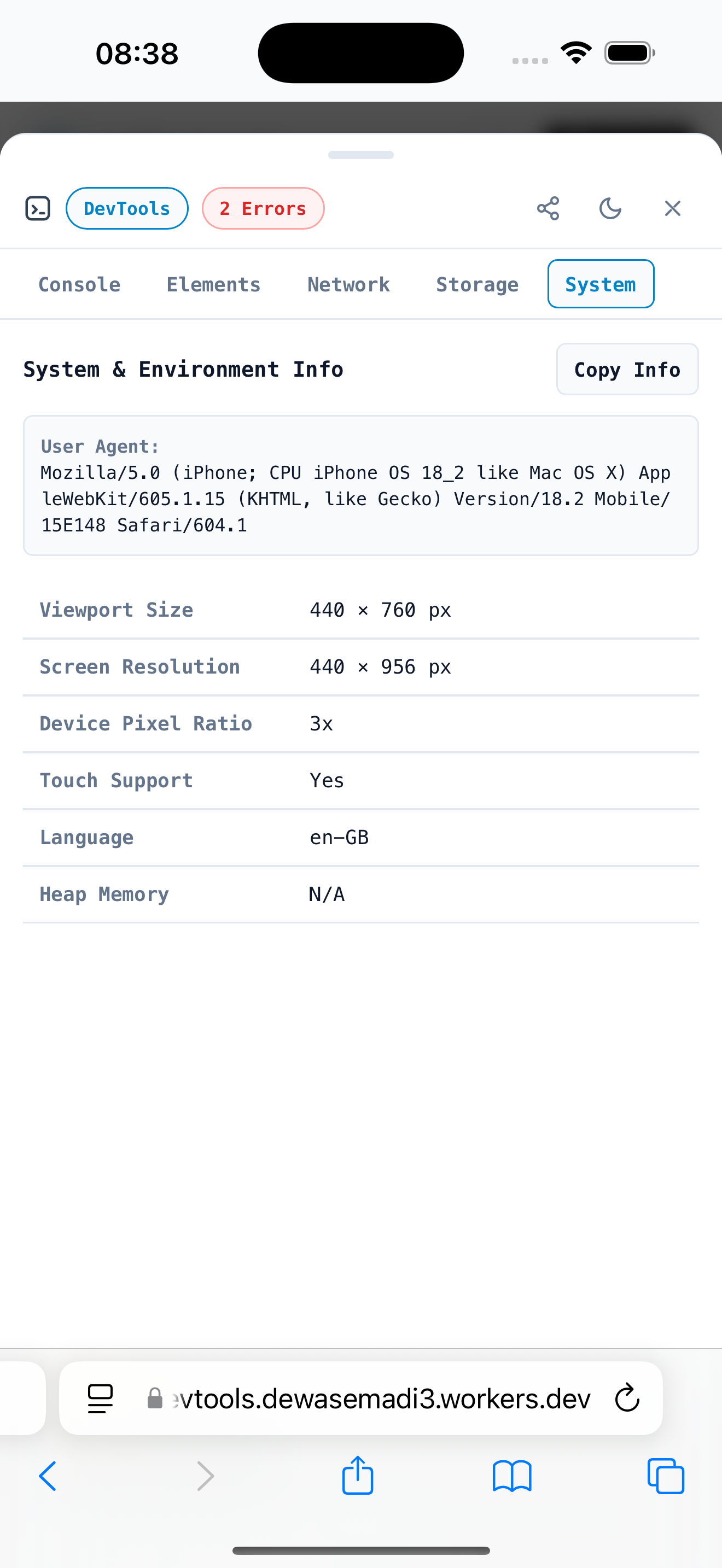
localStorage,sessionStorage, anddocument.cookie. - 💻 System Info Tab: Real-time diagnostic monitor for viewport dimensions, device pixel ratio (DPR), user agent string, memory limit, and screen orientation.
- 🔌 Pluggable Custom Tabs (
customTabs): Easily extend DevTools by adding custom tabs with your own DOM rendering callbacks (render(container)). - 🎨 Granular UI Style Overrides (
styles): Fine-grained inline CSS style overrides for badge, drawer, overlay, and handle (styles={{ badge: {}, drawer: {}, overlay: {} }}). - 🎨 Dynamic Theme Engine: Built-in Light Mode and Dark Mode with auto-contrast luminance detection, accent color swatches, and custom background palettes.
- 🧪 Comprehensive Test Suite: Tested with 65 Unit Tests (100% Passed) + 21 Playwright E2E Tests (100% Passed) across Desktop Chrome, Mobile Chrome, and Mobile Safari.
- 🧩 Framework Agnostic: Native support for React 18/19, Vue 3, Svelte 4/5, and Vanilla JS.
┌─────────────────────────────────────────────────────────────────────────────────┐
│                                 mobile-devtools                                 │
└────────────────────────────────────────┬────────────────────────────────────────┘
                                         │
        ┌───────────────────┬────────────┴───────────┬───────────────────┐
        ▼                   ▼                        ▼                   ▼
   Vanilla JS             React                    Vue 3              Svelte
(mobile-devtools) (mobile-devtools/react)  (mobile-devtools/vue) (mobile-devtools/svelte)
        │                   │                        │                   │
        └───────────────────┴────────────┬───────────┴───────────────────┘
                                         │
                           ┌─────────────▼─────────────┐
                           │   Native Shadow DOM Host  │
                           │   <mobile-devtools-root>  │
                           └─────────────┬─────────────┘
                                    │
            ┌───────────────────────┴───────────────────────┐
            │                                               │
┌───────────▼─────────────────┐   ┌─────────────────────────▼──────────────┐
│      Core Interceptors      │   │               UI Engine                │
├─────────────────────────────┤   ├────────────────────────────────────────┤
│ • Console Interceptor       │   │ • Floating Badge View (floating-badge) │
│ • Fetch / XHR Interceptor   │   │ • Drawer Views & Tabs (drawer)         │
│ • DOM Elements Inspector    │   │ • Pluggable Custom Tabs (customTabs)   │
│ • Storage Inspector         │   │ • Auto Contrast Theme Helper           │
│ • DevTools Store & State    │   │ • Bug Exporter Engine                  │
└─────────────────────────────┘   └────────────────────────────────────────┘
npm install mobile-devtools
# or
pnpm add mobile-devtoolsImport from mobile-devtools/react:
import React from 'react';
import { MobileDevTools } from 'mobile-devtools/react';

export default function App() {
  return (
    <>
      <YourAppRoutes />

      {/* Mobile DevTools Overlay */}
      <MobileDevTools
        title="My App Debugger"
        position="bottom-right"
        enabledTabs={['console', 'elements', 'network', 'storage', 'system']}
        theme={{ mode: 'dark', accentColor: '#0070f3' }}
        styles={{
          badge: { opacity: '0.9' },
        }}
        customTabs={[
          {
            id: 'analytics',
            title: 'Analytics',
            render: (container) => {
              container.innerHTML =
                '<div style="padding:16px;color:#fff;">📊 Custom Event Log</div>';
            },
          },
        ]}
      />
    </>
  );
}Import from mobile-devtools/vue:
<script setup>
  import { MobileDevTools } from 'mobile-devtools/vue';

  const customTabs = [
    {
      id: 'analytics',
      title: 'Analytics',
      render: (container) => {
        container.innerHTML = '<div style="padding:16px;color:#fff;">📊 Custom Event Log</div>';
      },
    },
  ];
</script>

<template>
  <YourAppLayout />
  <MobileDevTools
    title="My App Debugger"
    position="bottom-right"
    :enabled-tabs="['console', 'elements', 'network', 'storage', 'system']"
    :theme="{ mode: 'dark', accentColor: '#0070f3' }"
    :custom-tabs="customTabs"
  />
</template>Import from mobile-devtools/svelte:
<script>
  import { mobileDevTools } from 'mobile-devtools/svelte';
</script>

<div use:mobileDevTools={{
  title: 'My App Debugger',
  position: 'bottom-right',
  shakeToToggle: true,
  theme: { mode: 'dark' }
}}>
  <YourAppLayout />
</div>Import from mobile-devtools/svelte:
<script>
  import { useMobileDevTools } from 'mobile-devtools/svelte';
</script>

<div use:useMobileDevTools={{
  title: 'My App Debugger',
  position: 'bottom-right',
  theme: { mode: 'dark', accentColor: '#0070f3' }
}}>
  <YourAppLayout />
</div>Import directly from mobile-devtools:
import { createMobileDevTools } from 'mobile-devtools';

// Instantiate DevTools overlay
const devtools = createMobileDevTools({
  title: 'My App Debugger',
  position: 'bottom-right',
  enabledTabs: ['console', 'elements', 'network', 'storage', 'system'],
  theme: {
    mode: 'dark',
    accentColor: '#0070f3',
  },
  styles: {
    badge: { opacity: '0.9' },
    drawer: { maxHeight: '85vh' },
  },
  customTabs: [
    {
      id: 'analytics',
      title: 'Analytics',
      render: (container) => {
        container.innerHTML = '<div style="padding:16px;color:#fff;">📊 Custom Event Log</div>';
      },
    },
  ],
});Below is the complete reference table for all configuration options supported by <MobileDevTools /> / createMobileDevTools():
| Option / Prop | Type | Default | Description |
|---|---|---|---|
enabled |
boolean |
true (in dev) |
Enable or disable the DevTools overlay. Automatically set to false in production builds. |
forceEnable |
boolean |
false |
Force enable DevTools overlay in production builds for QA testing & staging previews. |
title |
string |
'DevTools' |
Label shown on floating badge and drawer header |
icon |
string |
undefined |
Custom icon (Emoji string like '⚡', Image URL, or Base64 data URI) |
position |
BadgePositionPreset |
'bottom-right' |
Initial corner/edge preset ('bottom-right', 'bottom-left', 'top-right', 'top-left', 'bottom', 'top', 'left', 'right') |
initialTab |
DevToolsTabId |
'console' |
Default tab opened when drawer is triggered ('console', 'elements', 'network', 'storage', 'system') |
enabledTabs |
DevToolsTabId[] |
['console', 'elements', 'network', 'storage', 'system'] |
Filter which tabs are enabled in drawer |
customTabs |
CustomTabDefinition[] |
[] |
Pluggable consumer tabs with custom DOM rendering callback (render(container)) |
styles |
DevToolsStyles |
undefined |
Fine-grained custom style overrides object ({ badge?: {}, drawer?: {}, overlay?: {}, handle?: {} }) |
defaultOpen |
boolean |
false |
Set to true to open drawer automatically on mount |
autoSnapBadge |
boolean |
false |
Enable magnetic snapping of badge to nearest screen edge on drag release |
theme.mode |
'dark' | 'light' |
'dark' |
Theme mode |
theme.accentColor |
string |
undefined |
Custom primary accent color (Hex / RGB / HSL) |
theme.backgroundColor |
string |
undefined |
Custom background color for drawer and badge |
theme.cardBackgroundColor |
string |
undefined |
Custom background color for inner card elements |
privacy.mask |
string[] |
undefined |
Sensitive header & body keys to mask in network inspector (e.g. ['token', 'password']) |
interceptors.maxLogLimit |
number |
200 |
Maximum number of console logs stored in buffer |
mobile-devtools features a built-in theme engine that automatically calculates background brightness to maintain WCAG AAA readable text contrast:
<MobileDevTools
  title="Staging Debugger"
  icon="🚀"
  position="bottom-left"
  theme={{
    mode: 'dark',
    accentColor: '#10b981',
    backgroundColor: '#0c0c0e',
  }}
  styles={{
    badge: { borderRadius: '12px' },
    drawer: { borderTopLeftRadius: '20px', borderTopRightRadius: '20px' },
  }}
/>mobile-devtools/
├── apps/
│ └── web/ # React documentation & live playground app (Port 3000)
├── examples/
│ ├── react/ # React 19 test harness app (Port 3001)
│ ├── vue/ # Vue 3 test harness app (Port 3002)
│ └── vanilla/ # Vanilla JS test harness app (Port 3003)
└── packages/
├── mobile-devtools/ # Main unified published npm package (Core + UI + React/Vue/Vanilla Adapters)
└── config/
├── eslint/ # Shared ESLint configuration (@mobile-devtools/eslint-config)
└── typescript/ # Shared TypeScript configuration (@mobile-devtools/tsconfig)
To build and run the project locally:
# Clone repository
git clone https://github.com/dewasemadi/mobile-devtools.git
cd mobile-devtools

# Install dependencies using pnpm
pnpm install

# Launch all apps & package watchers in dev mode
pnpm dev

# Run unit test suite (65 tests)
pnpm test

# Run unit tests with V8 coverage report
pnpm test:coverage

# Run Playwright E2E tests (21 tests across Chromium & Mobile Webkit)
pnpm test:e2e

# Build production bundles
pnpm buildDistributed under the MIT License. See LICENSE for details.