
Hey! Here is the link to the article referencing this script. https://www.gislounge.com/populate-cell-zip-code-based-address-google-sheets/
I 100% recommend you give it a read but the sparknotes version is below:
How to populate a cell with the ZIP Code Based on an Address in Google Sheets by using Google App Scripts
-
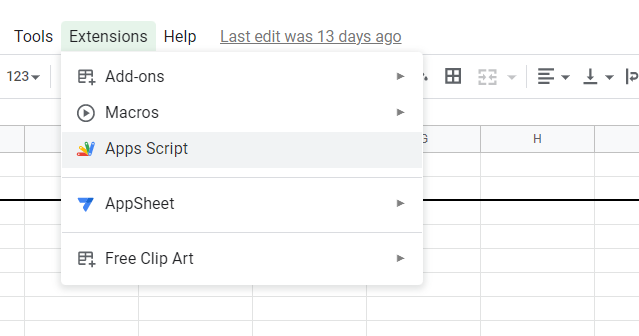
Navigate to Extentions > Apps Script (you may need to enable it as an extension if you have not done so yet)
-
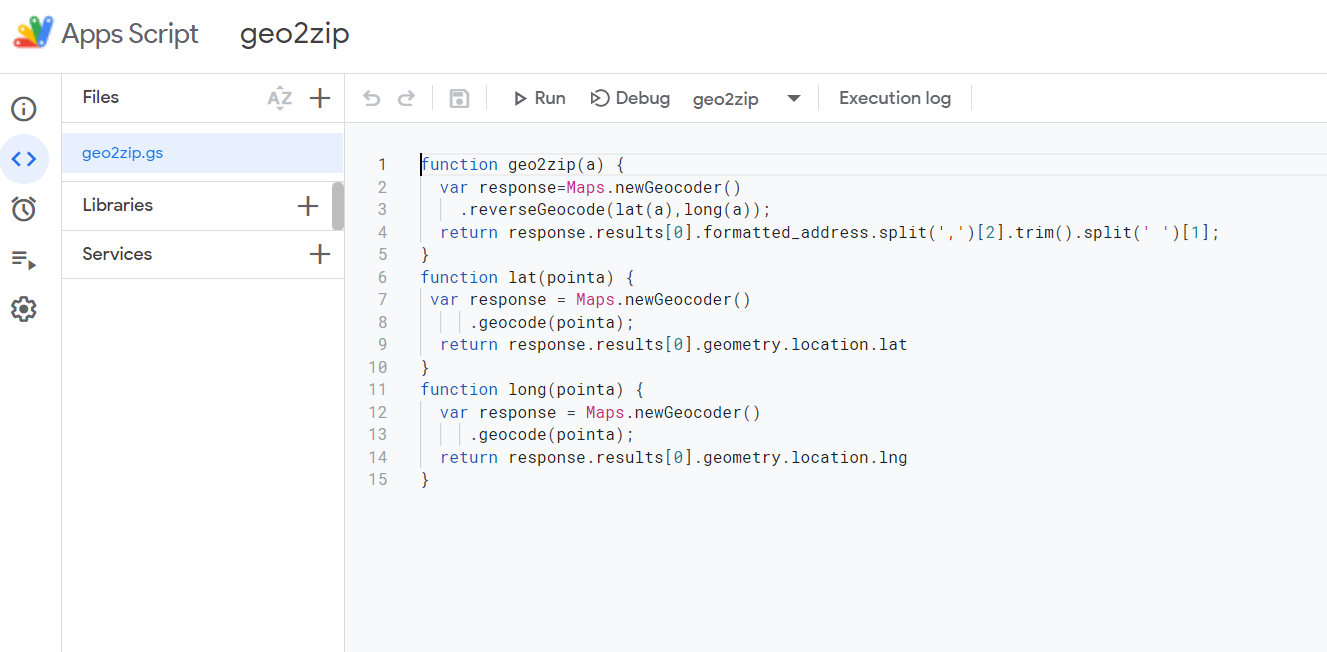
Delete the default function from the script editor screen. Paste in the code from my repo. Give the project a name in the top left corner.
-
Choose the cell you want the outputs for and type in below (the referenced cell is the Full Address minus the state and zip code)

-
boom! After loading you will have your zip codes!