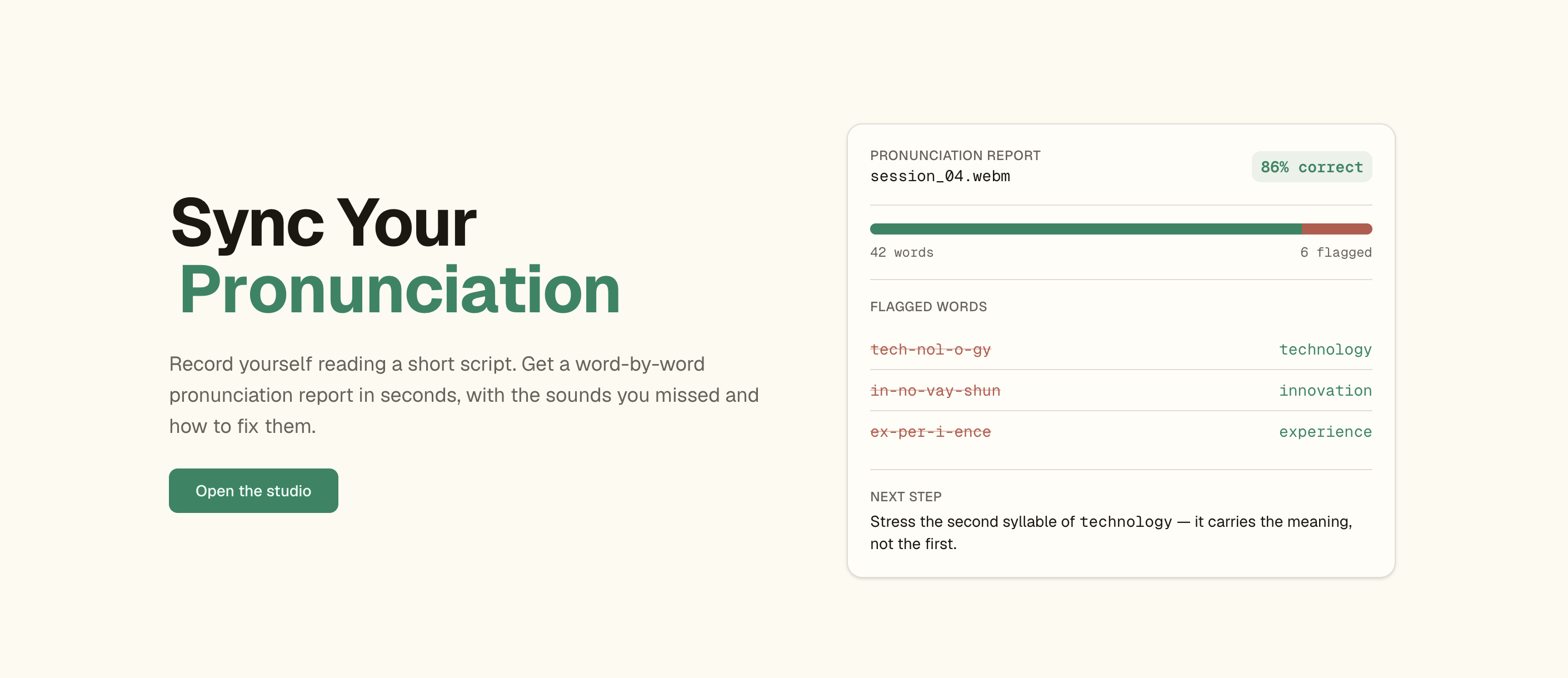
Boost your English speaking skills for global remote work with SpeechSync.ai — record your speech and get instant, AI-powered pronunciation feedback.
Many non-native speakers struggle with English pronunciation, which limits remote work opportunities, and traditional language apps don't focus on real speaking skills. SpeechSync.ai fixes that: read a sample script, record yourself, and get a detailed pronunciation analysis with concrete recommendations.
- 🎙️ Real-time recording with React Media Recorder.
- 🤖 AI transcription using Whisper (Cloudflare Workers AI).
- 📊 Detailed feedback from a Llama model — mispronounced words, accuracy, and patterns.
- 🎯 Personalized recommendations to improve your English.
This is a pnpm + Turborepo monorepo deployed entirely on Cloudflare:
packages/
├── shared/   # Types shared between the web app and the worker (audio job contract)
├── web/      # Next.js app (auth, recorder UI, analysis, API routes)
│   ├── app/            # routes: /, /login, /dashboard, /analysis, /api/*
│   ├── components/     # header, auth-menu, landing/*, audio-recorder, ui/*, theme-*, loader
│   ├── src/auth/       # Better Auth (email/password + Google/GitHub, KV sessions)
│   ├── src/db/         # Drizzle schema + D1/SQLite client
│   └── db/migrations/  # D1 SQL migrations (auth tables)
└── worker/   # Cloudflare Worker: Whisper transcription + durable Llama analysis Workflow
| Concern | Stack |
|---|---|
| Monorepo | pnpm workspaces + Turborepo |
| Web app | Next.js (App Router) deployed to Cloudflare Workers via OpenNext |
| Auth | Better Auth + better-auth-cloudflare — email/password, Google & GitHub OAuth, KV sessions |
| Database | Drizzle ORM on Cloudflare D1 (local SQLite fallback for next dev) |
| AI backend | Separate Worker — Whisper (transcription) + Llama analysis as a durable Workflow, called over a service binding |
| UI | Tailwind CSS v4 + shadcn-style components, 3D globe, dark mode |
- The signed-in user records audio on
/dashboardand hits Process and Analyse. - The browser POSTs the audio to
/api/jobs(same-origin, auth-gated), which forwards it to the worker over theWORKERservice binding (no public URL). - The worker transcribes the audio with Whisper, then kicks off a durable
JobWorkflowthat runs the Llama analysis and stores the structured result in KV (keyed by the workflow instance id). - The browser polls
/api/jobs/:iduntil the analysis is ready, then renders it on/analysis.
Note: The pipeline is fully stateless — no module-level globals. Job state lives in KV, orchestrated by a Durable Workflow.
pnpm install

# Web app — copy and fill in local secrets
cp packages/web/.dev.vars.example packages/web/.dev.vars
#   set BETTER_AUTH_SECRET (openssl rand -base64 32); OAuth keys are optional

pnpm dev            # runs every package (turbo)
# or just the web app:
pnpm --filter @speechsync/web dev
Auth and the database work out of the box locally — sessions use D1's local
binding and the DB falls back to ./.data/local.sqlite (migrations auto-apply on
first query). OAuth buttons only appear on /login once you set the matching
client id/secret.
Workers AI runs against Cloudflare even in local dev, so transcription/analysis require a logged-in
wranglerwith Workers AI access.
Run from packages/web unless noted. Create the resources, paste the returned
ids into the wrangler.jsonc files, then migrate and deploy.
# 1. D1 database — put database_id into packages/web/wrangler.jsonc
npx wrangler d1 create speechsync-db

# 2. KV namespace for sessions — put id into packages/web/wrangler.jsonc
npx wrangler kv namespace create KV

# 3. KV namespace for analysis results — put id into packages/worker/wrangler.jsonc
pnpm --filter @speechsync/worker exec wrangler kv namespace create JOBS

# 4. Apply migrations
cd packages/web
npx wrangler d1 migrations apply speechsync-db --local     # local dev
npx wrangler d1 migrations apply speechsync-db --remote    # production D1

# 5. Production secrets (run from packages/web)
npx wrangler secret put BETTER_AUTH_SECRET
npx wrangler secret put GOOGLE_CLIENT_ID        # + GOOGLE_CLIENT_SECRET (optional)
npx wrangler secret put GITHUB_CLIENT_ID        # + GITHUB_CLIENT_SECRET (optional)

# 6. Deploy the worker first (so the service binding resolves), then the web app
pnpm --filter @speechsync/worker deploy
pnpm --filter @speechsync/web deploy
Set BETTER_AUTH_URL / BETTER_AUTH_TRUSTED_ORIGINS (in packages/web/wrangler.jsonc
vars) and ALLOWED_ORIGINS (in packages/worker/wrangler.jsonc) to your real
domain in production, and add your domain under routes in the dashboard.
| Command | What it does |
|---|---|
dev |
Run all packages in dev (turbo) |
build |
Build all packages |
typecheck |
Type-check every package |
lint |
Lint across the repo |
| Command | What it does |
|---|---|
dev |
Next.js dev server |
preview |
Build + preview the Worker bundle locally |
deploy |
Build + deploy to Cloudflare Workers |
lint |
oxlint |
lint:fix |
oxlint with auto-fix |
format |
oxfmt |
format:check |
oxfmt in check mode |
typecheck |
TypeScript type-check |
auth:generate |
Regenerate Drizzle schema from Better Auth config |
db:migrate:local |
Apply D1 migrations to local dev database |
db:migrate:remote |
Apply D1 migrations to production D1 |
| Command | What it does |
|---|---|
dev |
wrangler dev |
deploy |
wrangler deploy |
typecheck |
TypeScript type-check |
- Fork the repo, create a branch, make your changes, open a PR.
Created by @arre_ankit.