
Repo to deliver the last lab of the SCAV subject
The sp3_main.py file has a set of simple functions that will execute some ffmpeg commands. It can be run as:
python3 p2_main.py
The functions are the following:
- Choose a file and a resolution, and encode the video in the four codecs. VP8. VP9, H265 and AV1.
- Show 2 videos with different codecs. Then Stack them so it's easier to compare between 2 codecs.
- Broadcast a file to some IP and ports. For local testing, the 127.0.0.x range is recommended.
You will need to have the some python packages installed:
- subprocess
The ffmpeg commands used have 2-3 parameters that affect the quality and file size. There are some defaults, but the results can vary depending on the parameters used. That's why comparing codecs can be challenging. Also, when stacking 2 videos, there is a re-encoding, that may cause some lost on fine details.
That said, it generally looks very similar, but some issues can be seen with fast-moving objects, where newer (AV1,h265) codecs seem to do a better job. That said, you have to be very analytic about it, and play the videos at a lower speed.
 Here we can see that vp8 has some blurry issues
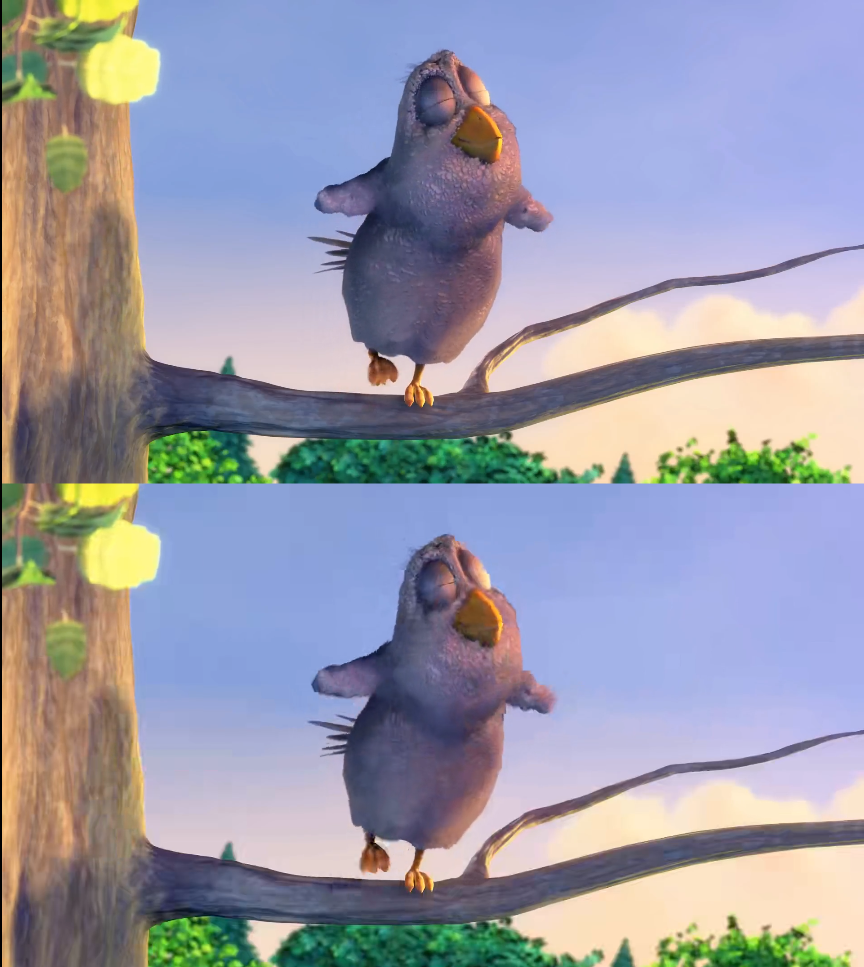 While here we see the same, but this time to the H265-encoded video. This may very well be caused by non-optimized parameters. The file size is still is smaller though.
For the rest of comparisons, I could not find "definitive" proof to which looks better between 2 codecs.