
Today we will be diving into one of my favorite tools to build full stack applications with, the serverless framework. Before we dive into the great things about serverless framework let's first break down what what the word serverless means in software development.
So what is serverless?
Serverless is a computation strategy and billing model that allows you to pay only for the computation power your application uses. Instead of paying for a typical server that runs continuously in the cloud you can use serverless compute that will run only when you need it and turn off when you don't.
If a standard server in the cloud is a light bulb, serverless compute would be a light that has a motion sensor so it only turns on when you need it and turns off when you don't.
Another awesome benefit of using serverless compute is auto scaling. Traditional servers have bandwidth limitations. This means the more users you have, the more servers you must provision. With serverless compute, your compute instances scale up and down with your resource needs automatically.
Sounds cool right? This is an awesome strategy that you can leverage across cloud providers making it a great tool for start ups and projects that may scale up in resource needs in a very short time.
As with all technical decisions, the choice to use the serverless strategy depends on your unique situation. Serverless is great for some uses cases and is not a great fit for others.
One of the main trade offs you must consider is the concept of cold starts. Serverless compute starts "coldly" this means that when an "event" triggers a serverless compute instance to run, it must first prepare the resources required to run your code which does take time.
Another trade off is "timeouts", Once your instance starts - it will timeout in 8 - 15 minutes depending on which cloud service provider you choose making this a bad fit for workloads that need to run for long periods of time.
Timeouts can be mitigated by parallelizing workloads (breaking down tasks into small executable parts) and using ephemeral storage (a usb drive so you do not lose important memory).
Across cloud service providers, serverless compute instances are named differently. For AWS it is Lambda, GCP has Cloud Functions and Azure has Azure Function Apps.
Although named differently, there is a shared concept between them which is Functions. I will try to communicate concepts as general as possible so you can apply them to Azure and Google however, note that I am using AWS cloud service provider.
If you want to use GCP or Azure with the serverless framework this is what you seek.
When developing serverless applications you can imagine your entire code base as individual isolated functions, each being stored in an independently deployable file.
Instead of a tightly coupled API that is deployed as a single artifact, you can change and deploy your serverless API code one function at a time.
This means faster development speed, less downtime and a highly flexible architecture that is very easy to change.
Now that we understand the WHAT of serverless let's talk about the HOW.
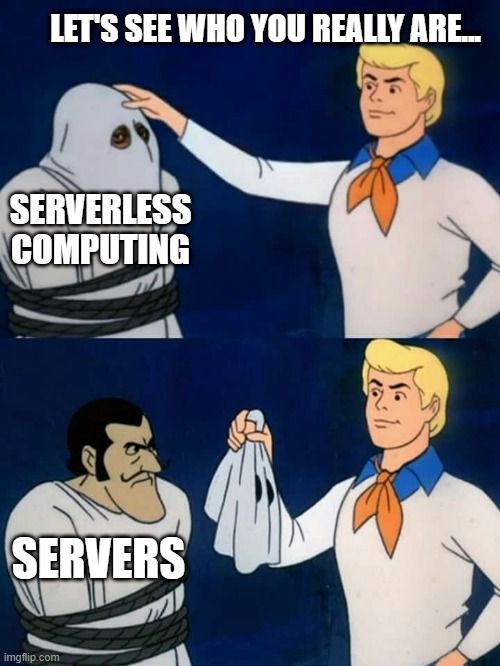
Serverless compute still runs on servers however, the servers are managed by the cloud service provider so you do not have to worry about server administration, scaling, operating system maintenance and logging or any of the other complexities related to server infrastructure.
The cloud service receives the initial event that will invoke your lambda and forwards this event to your function. Before your code executes the server the code is installed, the server container is configured and the runtime specific resources are provisioned (this is the cold start period).

The serverless framework is a open source project that started in 2015 and since then has became one of the top frameworks for building serverless applications today.
It enables you to rapidly develop serverless applications while serverless framework does the heavy lifting behind the scenes as you go.
The main concepts of Serverless Framework are:
- Functions (Your micro servers)
- Events (The reasons the micro servers start and the data that is forwarded to the micro-server)
- Resources (Infrastructure as Code resource configurations allowing you to create and deploy instances of cloud resources named in your config file)
- Services (A unit of organization - you can have multiple services for one application)
You will need a few things to follow along:
- Node.js
- Javascript
- AWS CLI Credentials
- Serverless Framework
To start a serverless project you need a YAML file named serverless.yml. (This can be JS, TS and JSON instead of YAML).
This is the configuration file for your serverless project. You will specify your function definitions that will map your function names in the serverless.yml file to the javascript file where the function code is located so when you deploy serverless knows where all the files/functions to deploy are located.
Also you can specify resource definitions in the serverless.yml that will create the resources you list and deploy them in your cloud.
Some resources you may deploy are databases, alarm configurations .etc.
    mkdir backend
    cd backend

    npm install -g serverless
    # ESBuild is for bundling our application and enabling us to use ES6 features.
npm install -D serverless-esbuild esbuild # These credentials from from your IAM secret access keys.
serverless config credentials ---provider aws --key YOUR_ACCESS_KEY --secret YOUR_SECRET_KEY # Create your service configuration file.
touch serverless.ymlAdd the following YAML to serverless.yml
service: 'newsletter'

frameworkVersion: '3'
configValidationMode: 'error'
deprecationNotificationMode: 'warn:summary'

provider:
    name: 'aws'
    runtime: 'nodejs20.x'
    disableRollback: true
    profile: 'sbx'

plugins:
- 'serverless-esbuild'npm create vite@latest frontend -- --template vanilla
npm install
npm run devDelete all of the boilerplate files.
First let's create a place to store our functions.
cd backend
mkdir src
cd src

mkdir functions
cd functions

mkdir FormSubmitted
cd FormSubmitted
touch FormSubmitted.js
Then let's write our first function code.
export const handler = async (event, context, callback) => {
    return console.log(JSON.stringify(event, null,2))
}
We have to specify the function configuration in the serverless template so let's do that.
functions:
    FormSubmitted:
        description: 'The function handles form submission from the frontend'
        handler: 'src/functions/FormSubmitted/FormSubmitted.handler'
        url: true
Deploy the application:
serverless deploy

# The end result should look like this:
Deploying newsletter to stage dev (us-east-1)

✔ Service deployed to stack newsletter-dev (90s)

# Make sure to take note of your endpoint URL.
endpoint: https://zy2flj6fck6o3now4zplef6qr40hcwjl.lambda-url.us-east-1.on.aws/
functions:
  FormSubmitted: newsletter-dev-FormSubmitted (703 B)

Need a faster logging experience than CloudWatch? Try our Dev Mode in Console: run "serverless dev"
➜ introduction-to-serverless-framework git:(main) ✗ <!--
Add the endpoint URL to the action attribute
-->
<form action="https://zy2flj6fck6o3now4zplef6qr40hcwjl.lambda-url.us-east-1.on.aws/" method="POST">
<label>
Email:
<input type="email" name="email" />
</label>
<button type="submit">Submit</button>
</form>Check the cloud watch logs and see what we have.
    const submit = async () => {
        const url = 'https://girl6ubk3k5ap6jm3kgn22tlju0sbjhm.lambda-url.us-east-1.on.aws/';

        const options = {
            method: 'POST',
            headers: {
                'Content-Type': 'application/json',
            },
            body: JSON.stringify({ email })
        }
        const response = await fetch(url, options);

        if (!response.ok) {
            console.error('Error: ', response)
        }

        console.log('Success: ', response)
    }
We will need to make a few changes to our form
<form>
    <label>
        Email:
        <input type="email" name="email" />
    </label>
    <button type="submit" onclick="submit">Submit</button>
</form>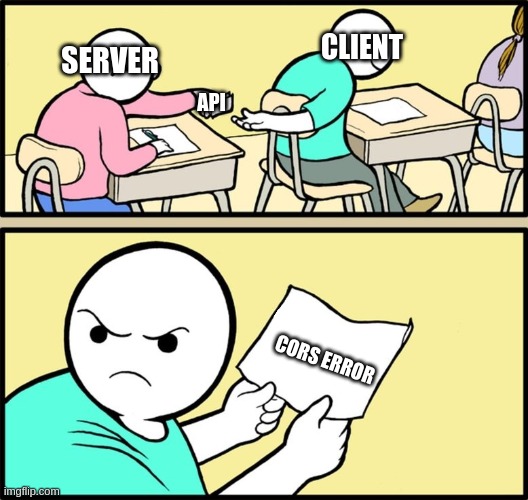
We need to add a proxy configuration to our Vite server config.
  server: {
    proxy: {
      "/api": {
        target: "YOUR FUNCTION URL",
        changeOrigin: true,
        secure: false,
        rewrite: (path) => path.replace(/^\/api/, ""),
      },
    },
  },
Now let's update the url in our fetch request
  // Change the url from this
  const url = `https://girl6ubk3k5ap6jm3kgn22tlju0sbjhm.lambda-url.us-east-1.on.aws/`
  // to this
const url = 'api/'The native lambda url is a nice feature that enables to you develop a simple API endpoint with almost no configuration.
Yes, lambda function urls are awesome! Now let's talk about why they suck:
- No option for custom domain name for your API (the ugly API url is going to be user facing)
- Every function will have it's own URL so your API will be very hard to use for developers
- You do not have all of the features you will soon need like API authorization, rate limiting or API insights.
API gateway is a managed service that enables developers to create, publish and maintain API's that are secure and scale well.
We need to update our function configuration:
functions:
    FormSubmitted:
        description: 'The function handles form submission from the frontend'
        handler: 'functions/FormSubmitted.handler'
        events:
            - httpApi:
                path: '/register'
                method: 'post'