Home Assistant integration for PrintStream, the self-hosted print farm manager for Bambu Lab printers. Learn more at printstream.app.
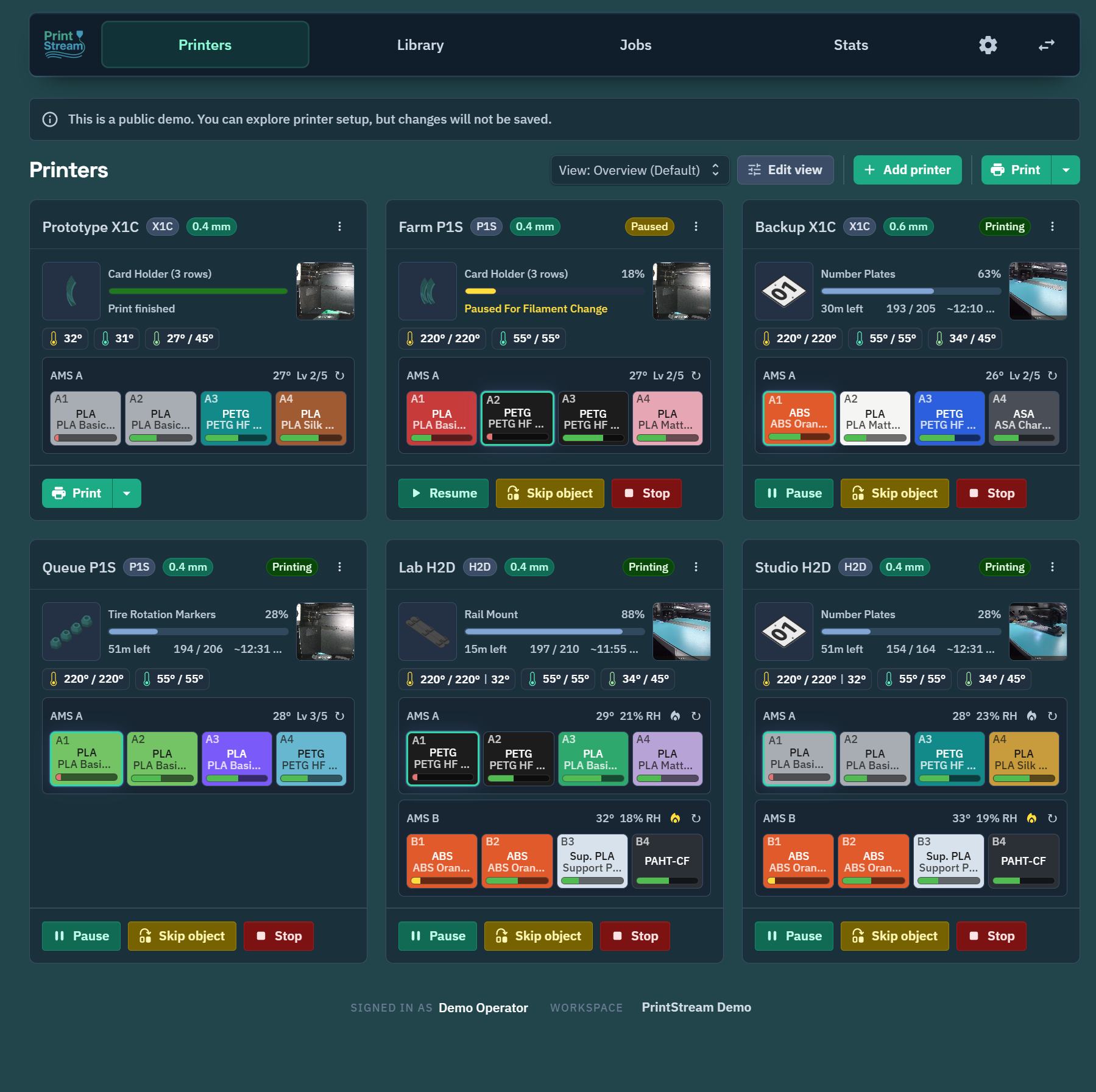
Connects to your PrintStream server and exposes your printers in Home Assistant:
- Sensors — printer state, current job, progress, layer, remaining time, temperatures, AMS details
- Binary sensors — printing, online, error states
- Cameras — live printer camera feeds relayed through PrintStream
- Images — current job cover/preview images
- Media source — browse finished-print snapshots
- Lovelace cards — bundled printer cards for dashboards
- A running PrintStream server reachable from Home Assistant
- A PrintStream API token (create one in PrintStream under Settings)
- In HACS, open Integrations, then choose Custom repositories from the menu.
- Add
https://github.com/PrintStreamApp/printstream-home-assistantwith category Integration. - Install PrintStream and restart Home Assistant.
Copy custom_components/printstream into your Home Assistant config/custom_components/ directory and restart Home Assistant.
- In PrintStream, enable the Home Assistant plugin for your workspace (Settings → Plugins), then create the workspace access token from the plugin's panel. The managed token includes the printer, AMS, camera, and library access the integration needs, and PrintStream will warn you if it is later revoked.
- In Home Assistant, go to Settings → Devices & Services → Add Integration and search for PrintStream.
- Enter a name, your PrintStream server URL, and the access token.
Printers and AMS units managed by PrintStream appear as devices automatically and stay current from PrintStream's live event stream — no polling. You can add multiple PrintStream entries (for example, one per workspace), and use Configure on an existing entry to replace its token.
- Custom Lovelace cards are auto-registered:
custom:printstream-printer-card,custom:printstream-ams-card, andcustom:printstream-printer-media-card. - Services are registered for pause, resume, stop, refresh, chamber light control, HMS clearing, and AMS slot rescans.
- Camera-capable printers get a live camera entity plus image entities for the cover thumbnail and latest snapshot.
- A PrintStream library media source appears in Home Assistant's media browser.
Entity exposure is model-aware: sensors are only created for capabilities your printer or AMS actually reports (per-nozzle readouts on dual-nozzle models, AMS drying metrics, door/duct/light state, external spools, and so on).
Please report problems at https://github.com/PrintStreamApp/printstream-home-assistant/issues.