


A wireless mouse solution that turns your smartphone into a fully-functional input device for your computer.
Quick Mouse turns your phone into a precise wireless mouse. No extra hardware. Open the app, connect, and control your desktop with smooth, low-latency gestures. Designed by two University of Cincinnati computer science students and winning first place in the 2025 MakeUC Hackathon, Quick Mouse leverages modern web technologies and native system integration to deliver a seamless experience. By leveraging web sockets and your phone's built-in sensors, Quick Mouse provides a responsive and intuitive way to interact with your computer from a distance.
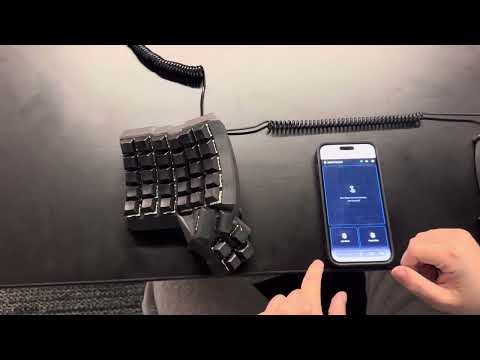

- Multiple Input Modes: Handheld pointer, or trackpad
- QR Code Pairing: Instant secure connection with no manual configuration
- Low Latency: Optimized for real-time control even on shared WiFi networks
- Cross-Platform: Works on Windows, macOS, and Linux
- No Extra Hardware: Uses devices you already have
On Omarchy Quick Mouse installs as a shell plugin: a bar widget that starts the server in the background and shows the pairing QR code. No terminal needed after setup.
-
Install the prerequisites:
omarchy pkg add go npm jq
sudo modprobe uinput
sudo usermod -aG input "$USER"
The
modprobetakes effect immediately; the group change needs a log out and back in (or a reboot).go/npmare only needed for the first build. -
Add and enable the plugin:
omarchy plugin add https://github.com/DerekCorniello/quick-mouse.git --enable
-
Click the mouse icon in the bar, then scan the QR code with your phone.
Left click opens the panel and starts the server if it is not running; right click stops the server. The first click builds the Go binary and the React client in the plugin's own checkout, so it takes a minute; later starts are instant.
-
On the phone, accept the self-signed certificate warning (Android: Advanced → Proceed; iOS: Show Details → visit this website), allow motion access, and calibrate.
To uninstall: omarchy plugin remove nathan.quick-mouse.
Run the relevant install command depending on the OS of the system you are controlling.
curl -fsSL https://raw.githubusercontent.com/DerekCorniello/quick-mouse/main/setup.sh | bashInvoke-WebRequest -Uri "https://raw.githubusercontent.com/DerekCorniello/quick-mouse/main/setup.bat" -OutFile "$env:TEMP\setup.bat"; & cmd.exe /c "$env:TEMP\setup.bat"- Start the App: click the Quick Mouse widget in the bar, or run
quick-mousein a terminal to print the QR code there - Scan QR Code: scan the displayed QR code with your phone
- Accept Permissions: Quick Mouse will request necessary permissions for pointer control (gyroscope sensor information)
- Perform Calibration: Follow the on-screen instructions to calibrate your device for optimal performance.
- Start using your phone as a mouse! You can use your phone as a pointer or use the built-in trackpad mode.
- Make Adjustments: Access settings to customize sensitivity, gestures, and other preferences.
- The phone hangs on a blank page. The host firewall is dropping the port.
With
ufw, allow it:sudo ufw allow 3000/tcp(or your configured port). Also confirm the phone is on the same network as the computer. - "not private" / certificate warning on the phone. Expected — the server uses a self-signed certificate. Tap through it once (Android: Advanced → Proceed; iOS: Show Details → visit this website).
/dev/uinput is not writable. Runsudo modprobe uinput, add your user to theinputgroup, then log out and back in.
The plugin/script honors these environment variables when they set sensible defaults:
QM_QUICK_MOUSE_DIR— where the quick-mouse checkout lives (default: the plugin's own checkout, else~/repos/quick-mouse)QM_PORT— server port (default fromconfig.json, else3000)QM_STATE_DIR— runtime state (default~/.local/state/nathan.quick-mouse)
Plugins run as unsandboxed code inside omarchy-shell. This plugin:
- starts a local HTTPS server (
quick-mouse) that listens on your LAN and injects input events through/dev/uinput; the QR code embeds a per-start auth key - does not use
sudo; the privileged setup (uinput,inputgroup, firewall) is performed by you - builds the Go server and React client from the checkout it ships in
State lives in ~/.local/state/nathan.quick-mouse/ (server.pid, qr.json,
server.log).
- Backend: Go - lightweight service for pairing, event processing, and native pointer control
- Frontend: React - intuitive touch and gesture interface
- Communication: WebSocket-based event streaming for minimal latency
- Security: Encrypted pairing through QR-code exchange
Contributions are welcome! Please feel free to submit issues or pull requests.
MIT License. See LICENSE for details.