Legal notices, clauses and messages on your PDF documents, written once and printed in the right place, without a developer.
Every company has sentences that belong on its documents: a year-end closure notice, a legal mention for one subsidiary, a deposit clause above a certain amount, a reminder that a pro forma is not an invoice. With Text Elements, the people who know what a document must say write those texts in Odoo's editor and decide where, on which documents and when they are printed.
This module holds the catalogue and the engine. Install the connectors for the documents you need:
- Text Elements - Sale: quotations and sales orders
- Text Elements - Accounting: invoices and credit notes
- Text Elements - Purchase: requests for quotation and purchase orders
- Text Elements - Stock: delivery slips
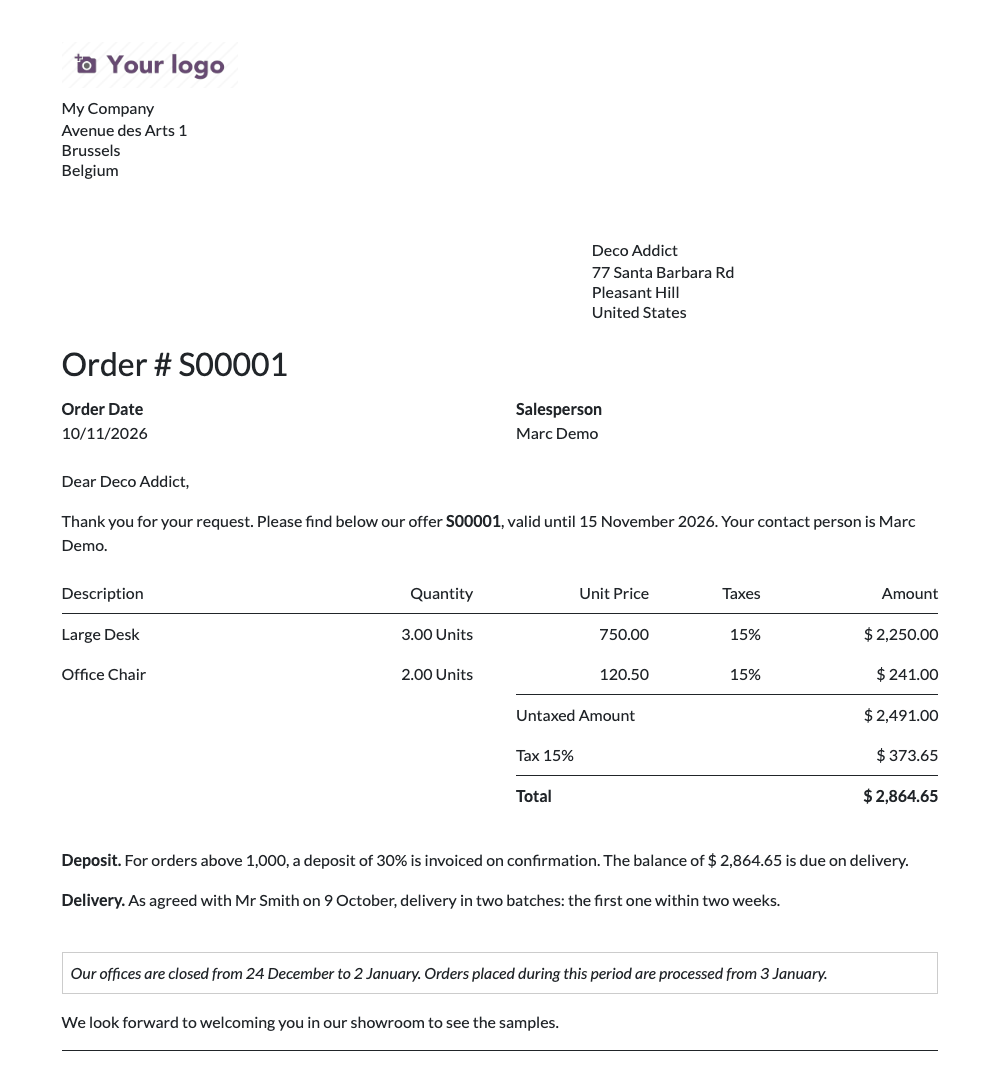
Table of contents
- A catalogue of texts with rules. Each text says where it is printed (the document type and the position), when (added automatically or on demand, a condition on the document, a validity period) and what (rich text with values of the document).
- Four positions: top of document, before lines, after totals, bottom of document, with optional page breaks before or after a text.
- Dynamic placeholders: type
/in the editor and choose Dynamic Placeholder to insert a value of the document. Dates, amounts and currencies are formatted in the customer's language. The bracket syntax[[partner_id.name]]reaches related records too, with options for dates and for printing several values as lines or as a bulleted list. - One list per document: catalogue texts, copies personalised for this document, and free texts, with a warning when a text will not be printed.
- Preview: render a text on a sample document and see whether it would be printed.
- Safe by design: a placeholder that does not match a field is refused when saving, and a text never makes a report fail.
- Multilingual and multi-company: texts are translated like any Odoo content and can belong to one company or be shared.
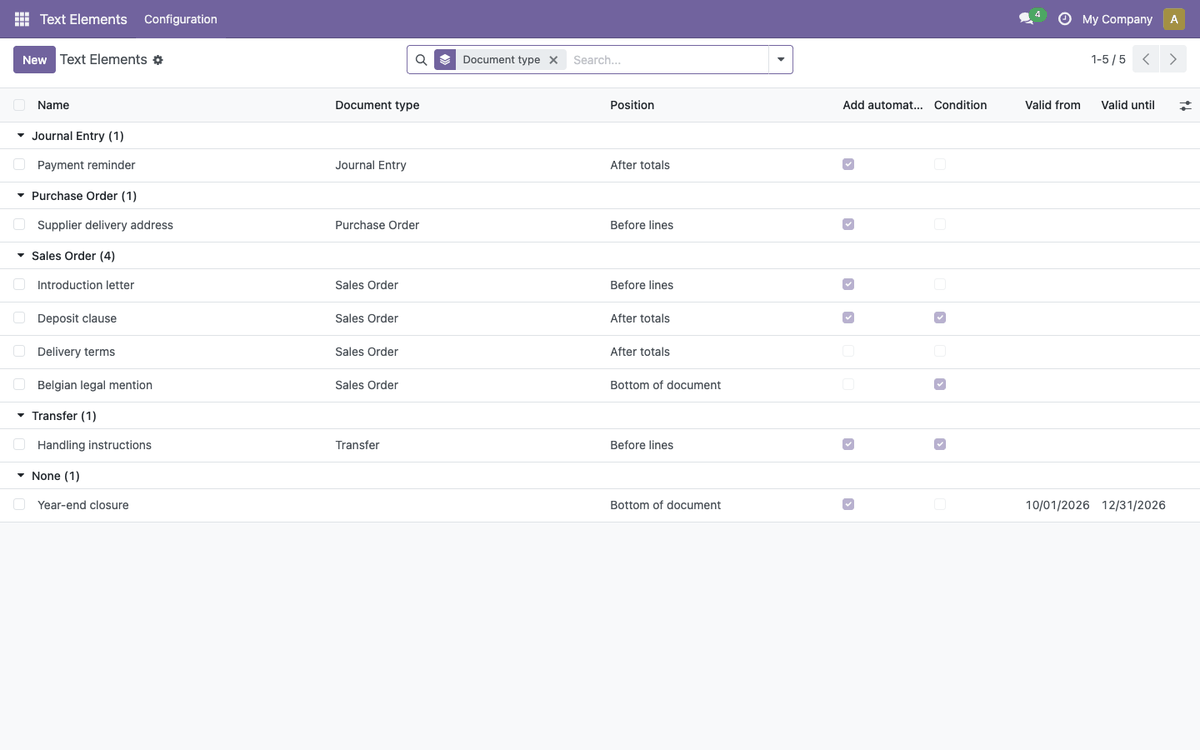
Members of the Text Elements Manager group, granted to Settings administrators, maintain the catalogue in Text Elements > Configuration > Text Elements. Other internal users read it and adapt texts on their own documents.
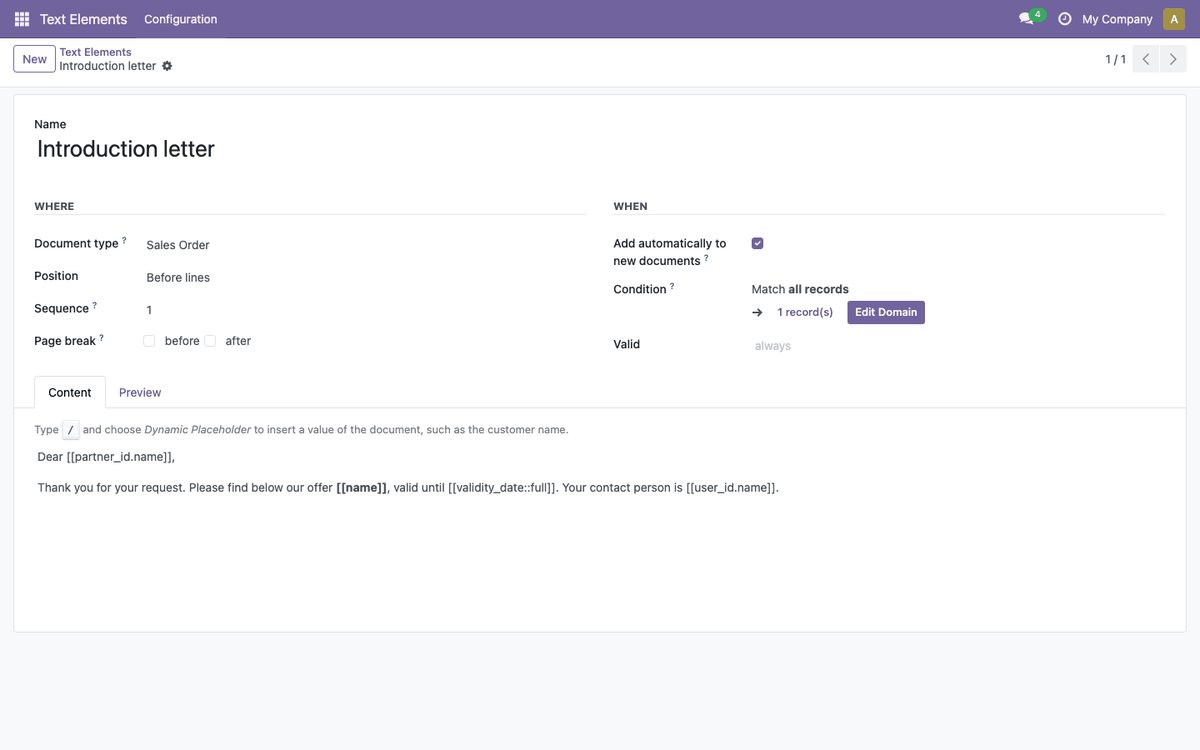
A text element answers three questions:
- Where: the document type (empty for every document), the position, its order among the texts of the same position, and optional page breaks.
- When: Add automatically to new documents, a Condition on the document (for example the customer's country or the amount), a validity period, and the company.
- What: the content. In the editor, type
/and choose Dynamic Placeholder to insert a value of the document.
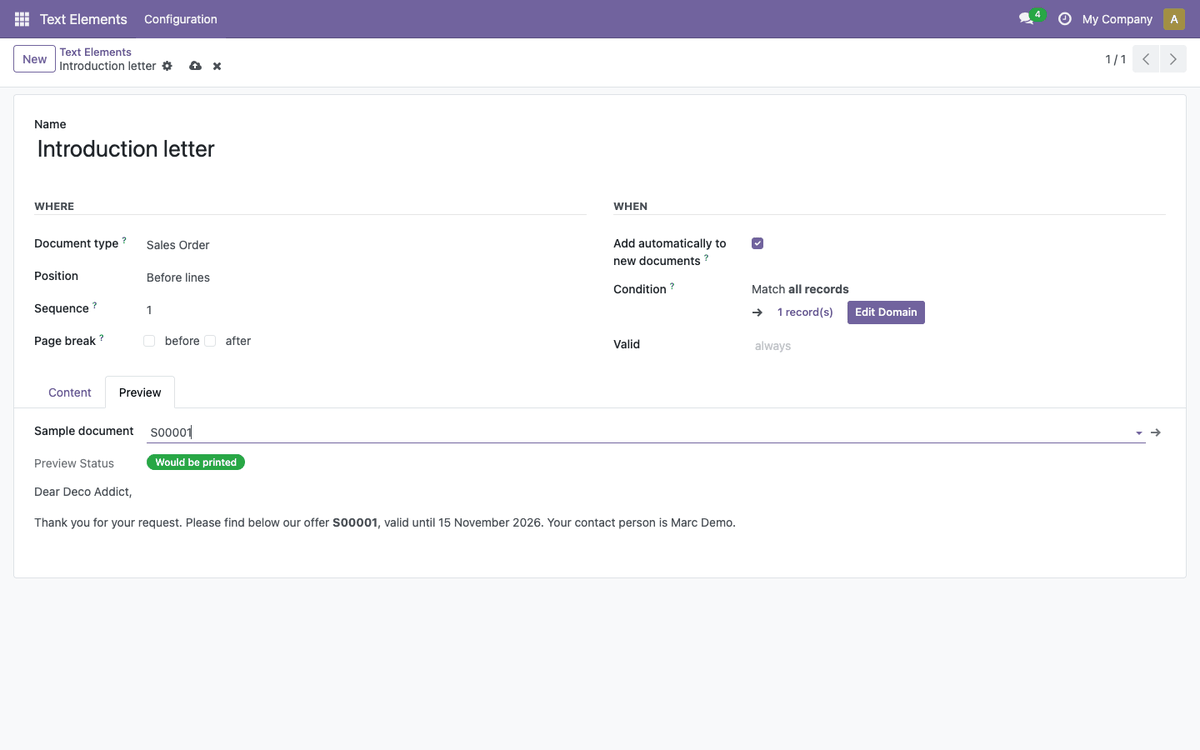
The Preview tab renders the text on a sample document and tells whether it would be printed.
Besides the Dynamic Placeholder command, a value can be typed between double
brackets: [[field]], or a path through related records such as
[[partner_id.country_id.name]]. Saving the text refuses a path that does not
match a field of the document type.
When a path crosses several records, for instance the invoices of a sales order,
every value is printed, separated by commas. Add an option after :: to lay
them out differently:
| Placeholder | Prints |
|---|---|
[[invoice_ids.name]] |
INV/2026/0001, INV/2026/0002 |
[[invoice_ids.name::lines]] |
one value per line |
[[invoice_ids.name::list]] |
a bulleted list, one item per value |
Put a list placeholder on a line of its own: a list cannot sit inside a
sentence.
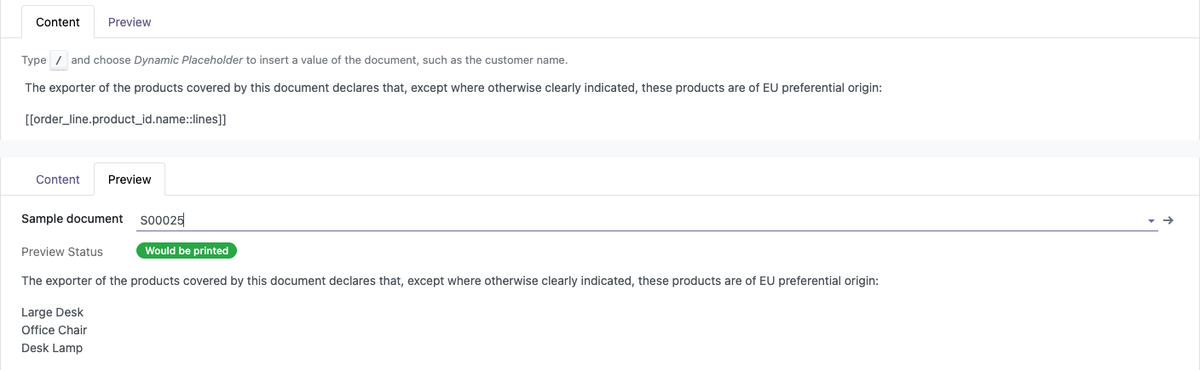
An origin declaration that names each ordered product on its own line, with
[[order_line.product_id.name::lines]], as written and as previewed:
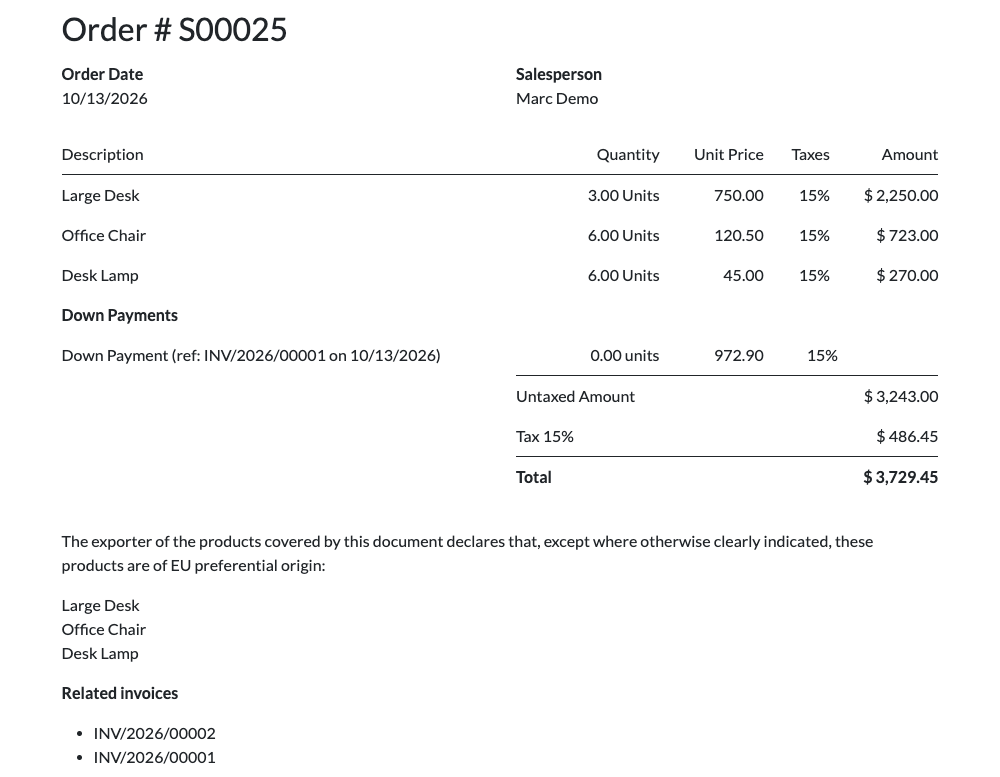
The same declaration on the printed order, followed by the invoices of the order
listed with [[invoice_ids.name::list]]:
Dates and times accept a format option:
| Placeholder | Prints |
|---|---|
[[validity_date::full]] |
a date written in full: 21 August 2026 |
[[date_order::full_date]] |
the date of a date and time, in full |
[[date_order::date]] |
the date only |
[[date_order::time]] |
the time only |
Both kinds of option combine:
[[invoice_ids.invoice_date::full::lines]]. Values are formatted in the
customer's language, and empty values are left out.
On a document, the Text Elements tab lists every text that will be printed, with its position and its source:
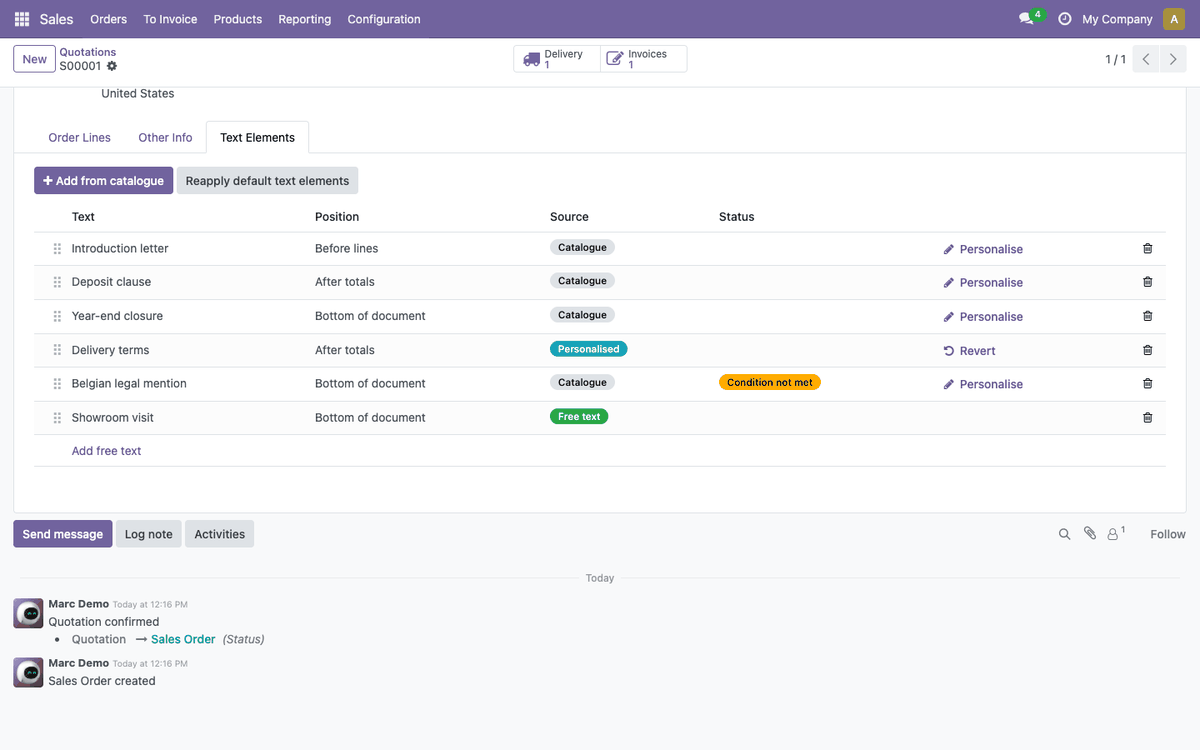
- Catalogue: follows the catalogue text; a correction in the catalogue is printed on the next print.
- Personalised: a copy adapted for this document, written in the customer's language. The conditions of the catalogue text still apply. Revert returns to the catalogue text.
- Free text: written for this document only, always printed.
The tab offers two buttons:
- Add from catalogue opens the catalogue texts that can still be added; select several and confirm.
- Reapply default text elements adds the automatic texts the document lacks and removes the automatic ones that no longer apply. Texts added by hand or personalised are kept. The same happens when the customer or the company of the document changes.
Automatic texts created after a document are not added to it until one of these happens, so that documents already sent do not change on reprint.
Any model with a PDF report can print text elements. In a small module:
- inherit
text.element.abstracton the model; - add the
text_element_custom_idsfield to its form, with thetext_element_add_from_cataloguewidget and theaction_reapply_default_text_elementsbutton (see the Sale connector); - in the report, set
text_element_recordanduse_text_elements, and calltext_element_base.text_element_layoutwith thebefore_lineandafter_linepositions. The top and bottom positions come with Odoo's standard document layouts.
- Noviat
- Elneo
The module was initially developed by Elneo in version 8.0 and later migrated to version 13.0. It was then taken over by Noviat, with Elneo's approval, to be refactored and made generic.
This module is maintained by Noviat, Odoo integrator in Belgium. Questions, or a connector for another document? Contact us: https://www.noviat.com/contact